Disclosure: Some links in this article are affiliate links. If you buy through them, we may earn a small commission at no extra cost to you. We only recommend products we've researched or tested; see our editorial standards.
YONZEE Phone Mount Review
A no-adhesive magnetic mount for Model Y Juniper that feels stable without becoming permanent.
REVIEWS / CHARGING / HANDS-ON
YONZEE Tesla Phone Mount Review: The Best No-Adhesive Mount I've Tested for Model Y Juniper
The YONZEE mount's real advantage is not just magnet strength. It behaves like a fixed mount when installed, but it is not permanent: no adhesive, easy removal, stable with a bare iPhone 17, and simple to move between the driver and passenger side.
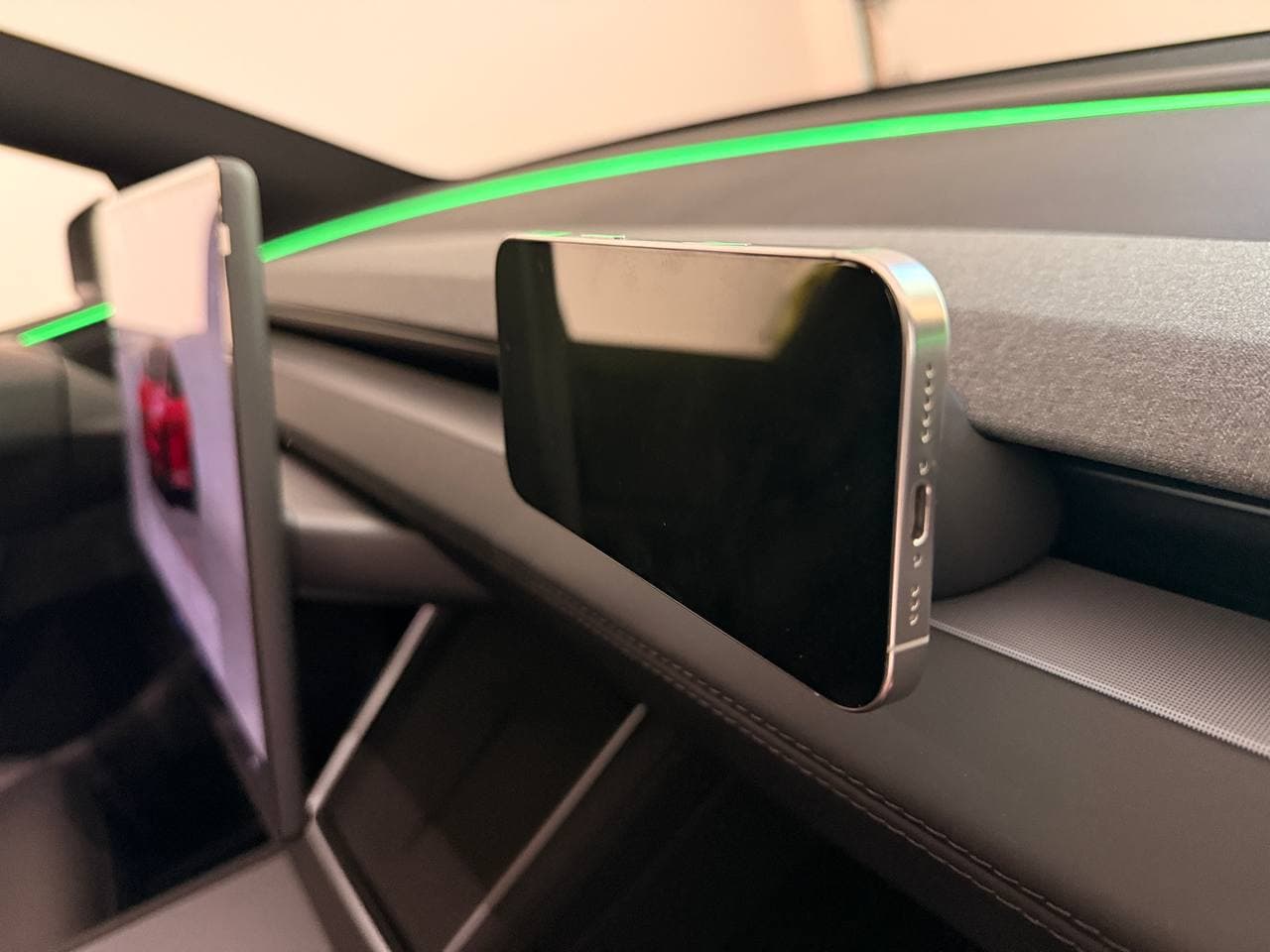
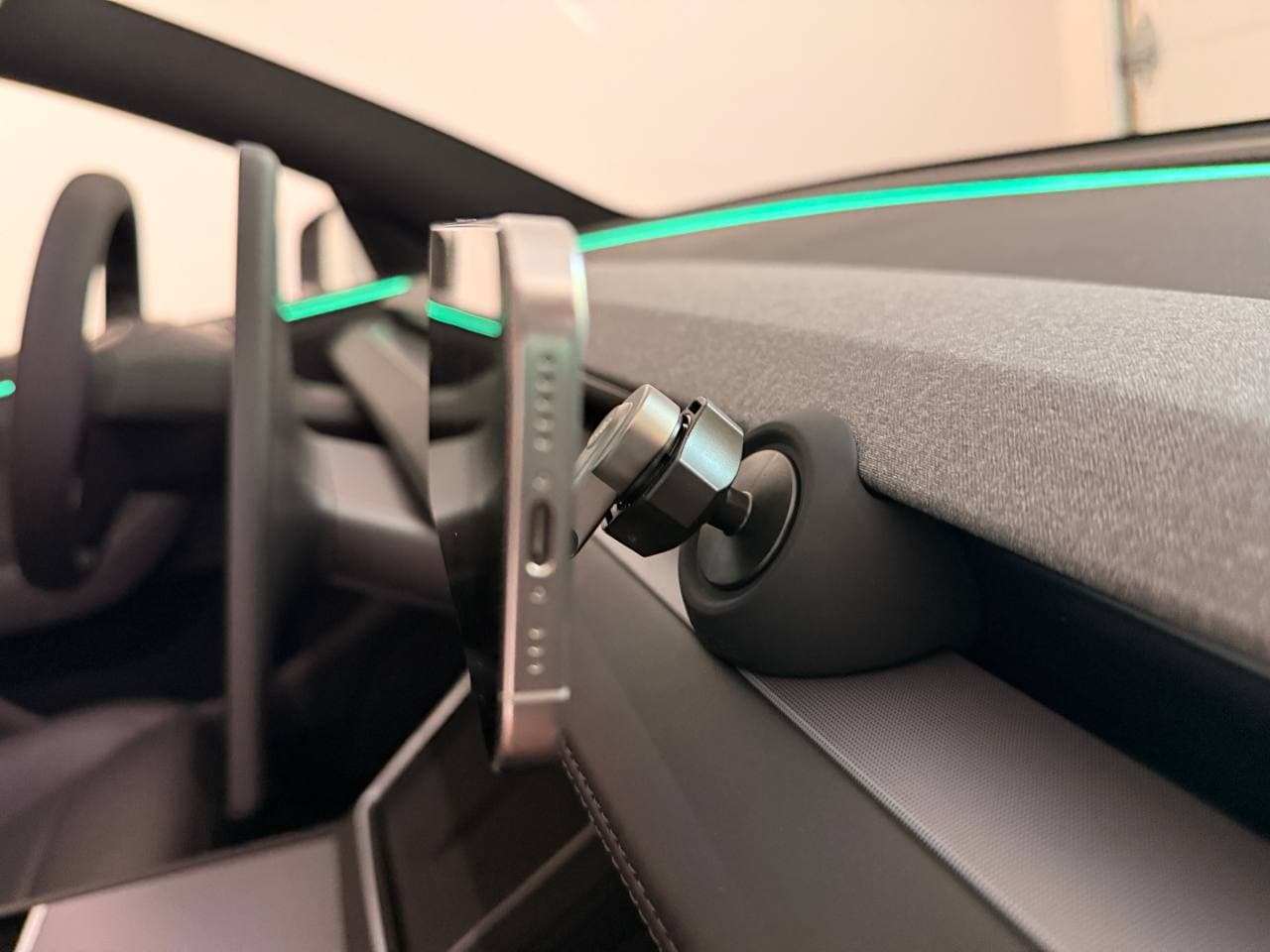
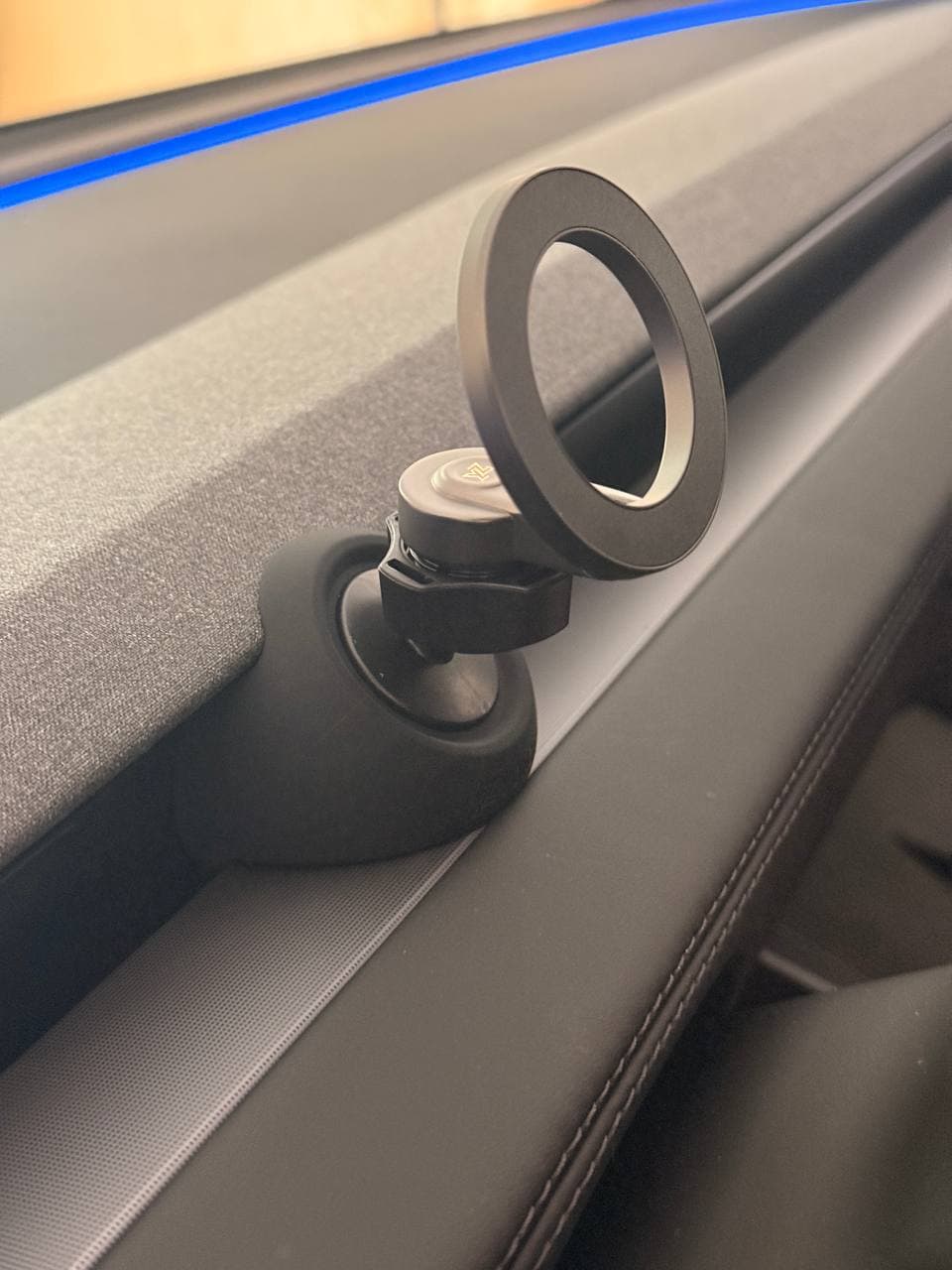
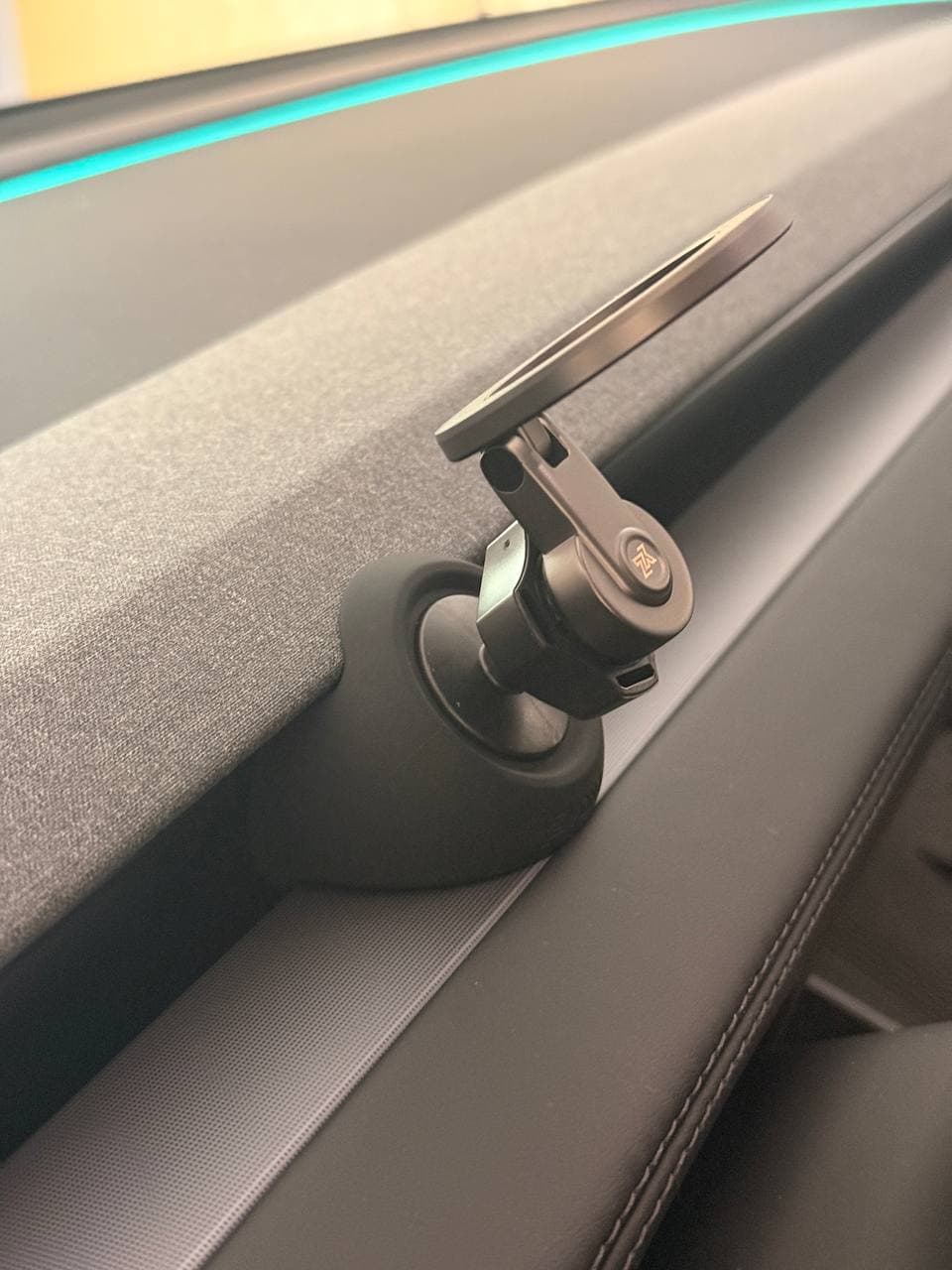
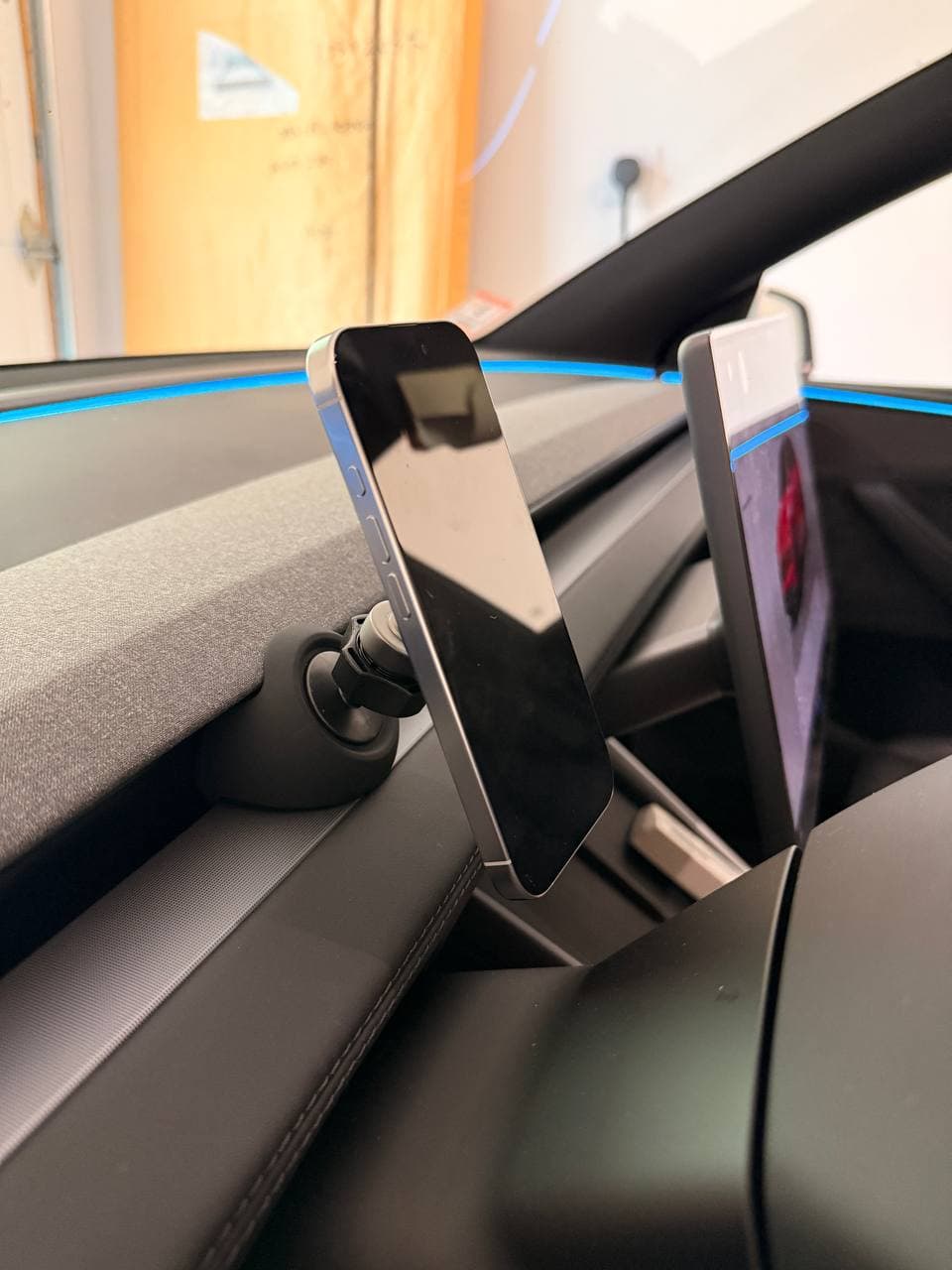
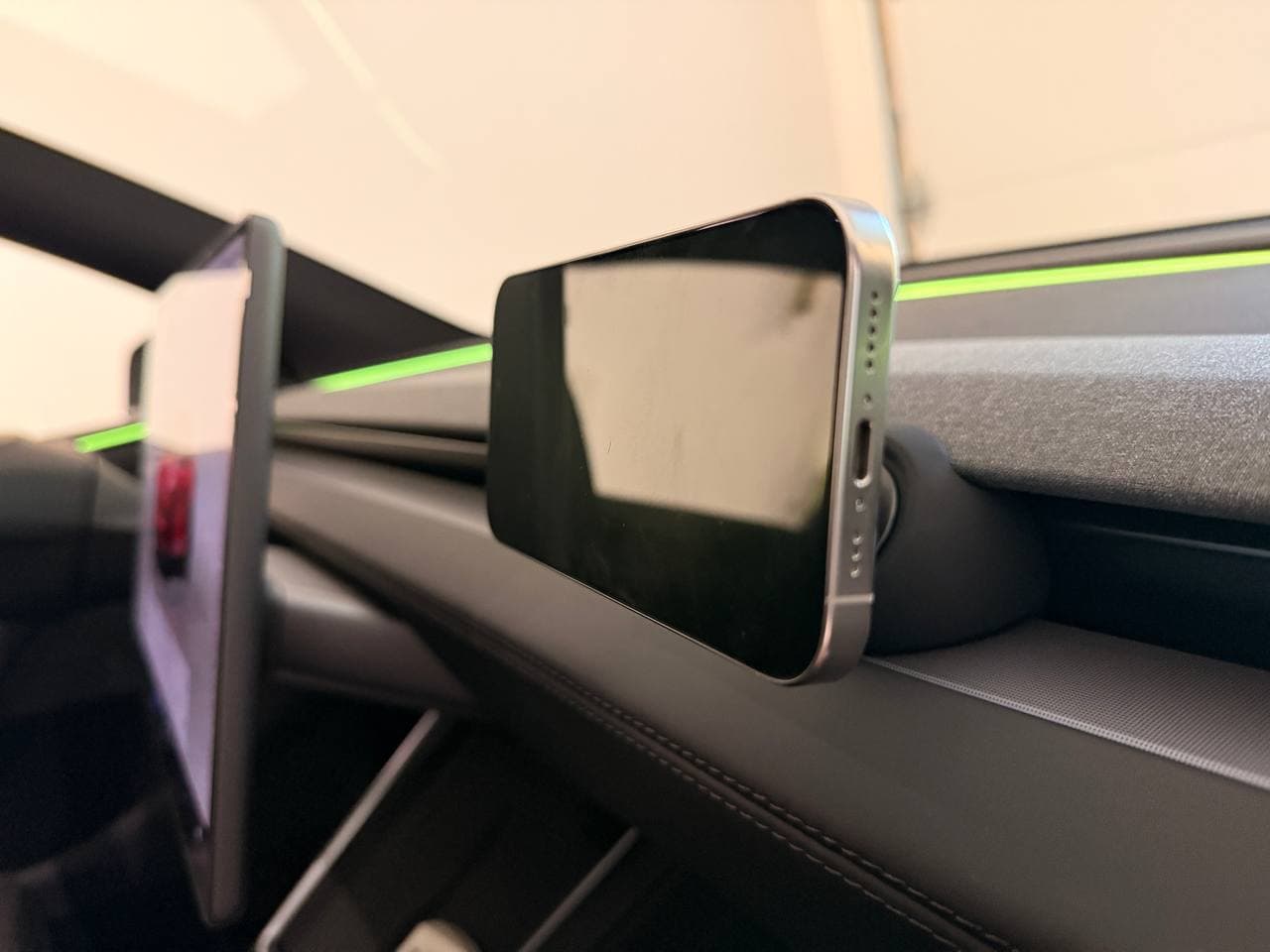
I tested this in a Tesla Model Y Juniper with a bare iPhone 17. The mount is smaller than expected, but the metal arm feels dense, the rubber base has real weight, and the whole setup clipped into the front air vent area more securely than a typical plastic vent mount.
Last updated: June 20, 2026 · 7 min read · Original photos
Quick Verdict
Best for
Model Y Juniper owners who want a clean, removable magnetic phone holder without adhesive.
Not for
Owners who want built-in wireless charging. This is a pure magnetic mount.
Test setup
Tesla Model Y Juniper + bare iPhone 17.
My rating
4.6/5 — strong for fit, stability, and removability; held back only because it does not charge.
Buying note
Buy the exact YONZEE ASIN I tested
The tested product is ASIN B0FRXRB3G6. Amazon listings and variants change, so use the direct product link instead of searching generic Tesla phone mount results.
Check YONZEE price on Amazon →Affiliate disclosure: if you buy through this link, Tesla Model Guy may earn a commission at no extra cost to you.
What Makes It Different
Most Tesla phone mounts force a compromise. Adhesive mounts can be stable, but you commit to one location and risk marks when removing them. Cheap vent clips are removable, but they often feel loose or look like an obvious aftermarket add-on. Screen-side mounts can work, but not everyone wants another attachment near the Tesla display.
YONZEE is good because it avoids that tradeoff. The rubber base clips into the Model Y Juniper front air vent area firmly enough for daily driving, but you can still pull it out and move it. That makes it useful for driver-side navigation, then passenger-side video when parked or on a road trip.
Build Quality: Small, Heavy, and Better Than Expected
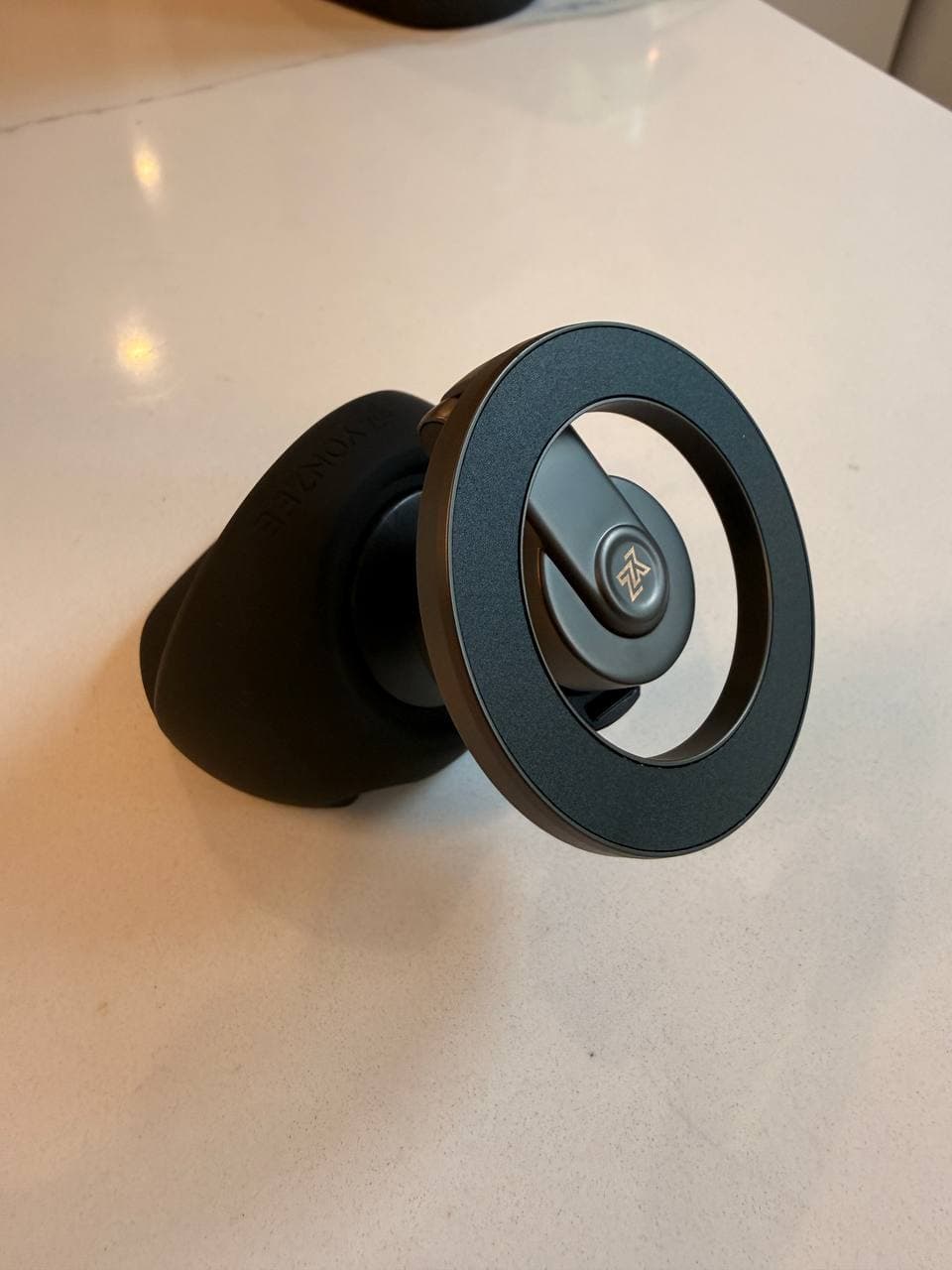
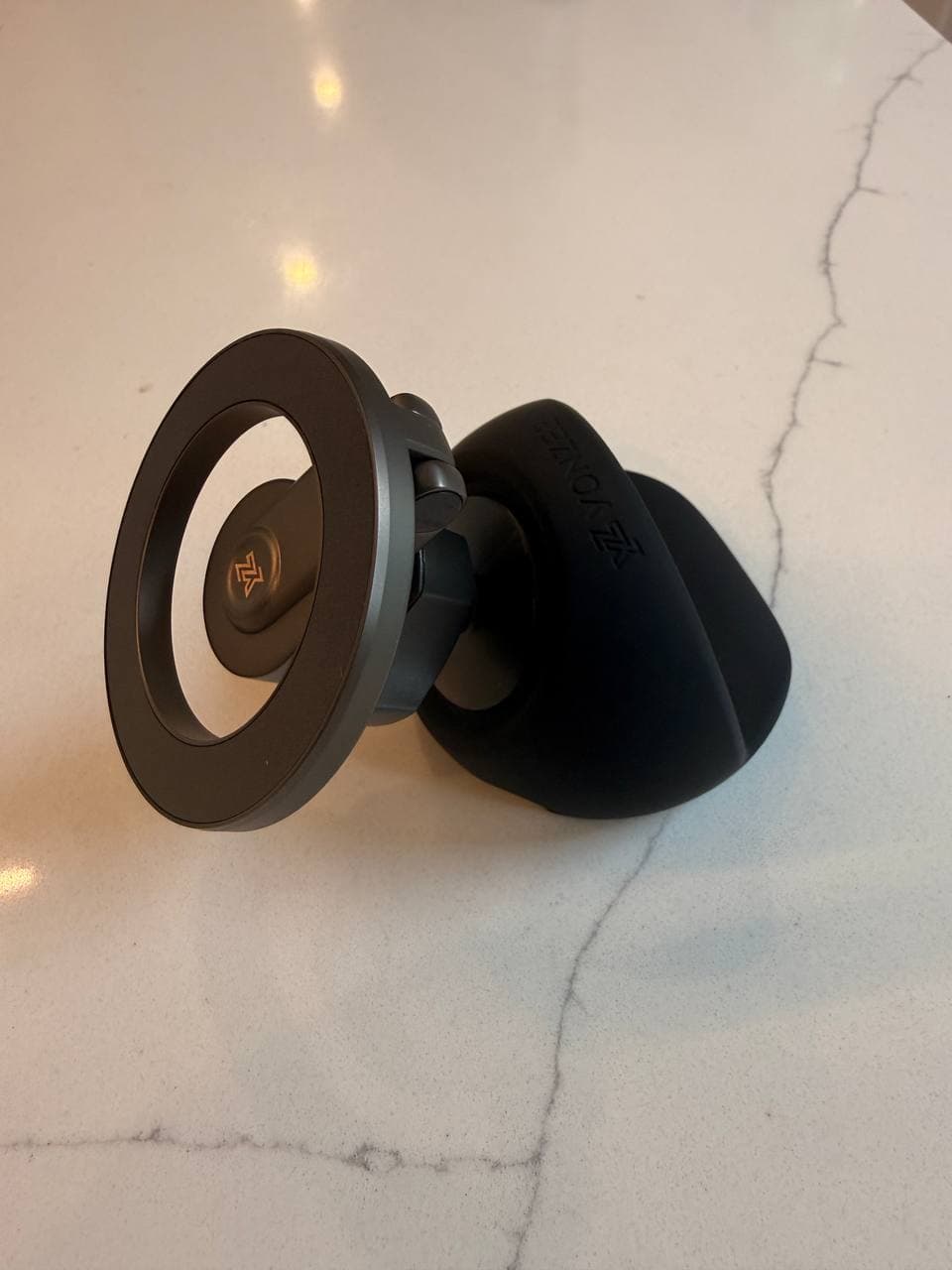
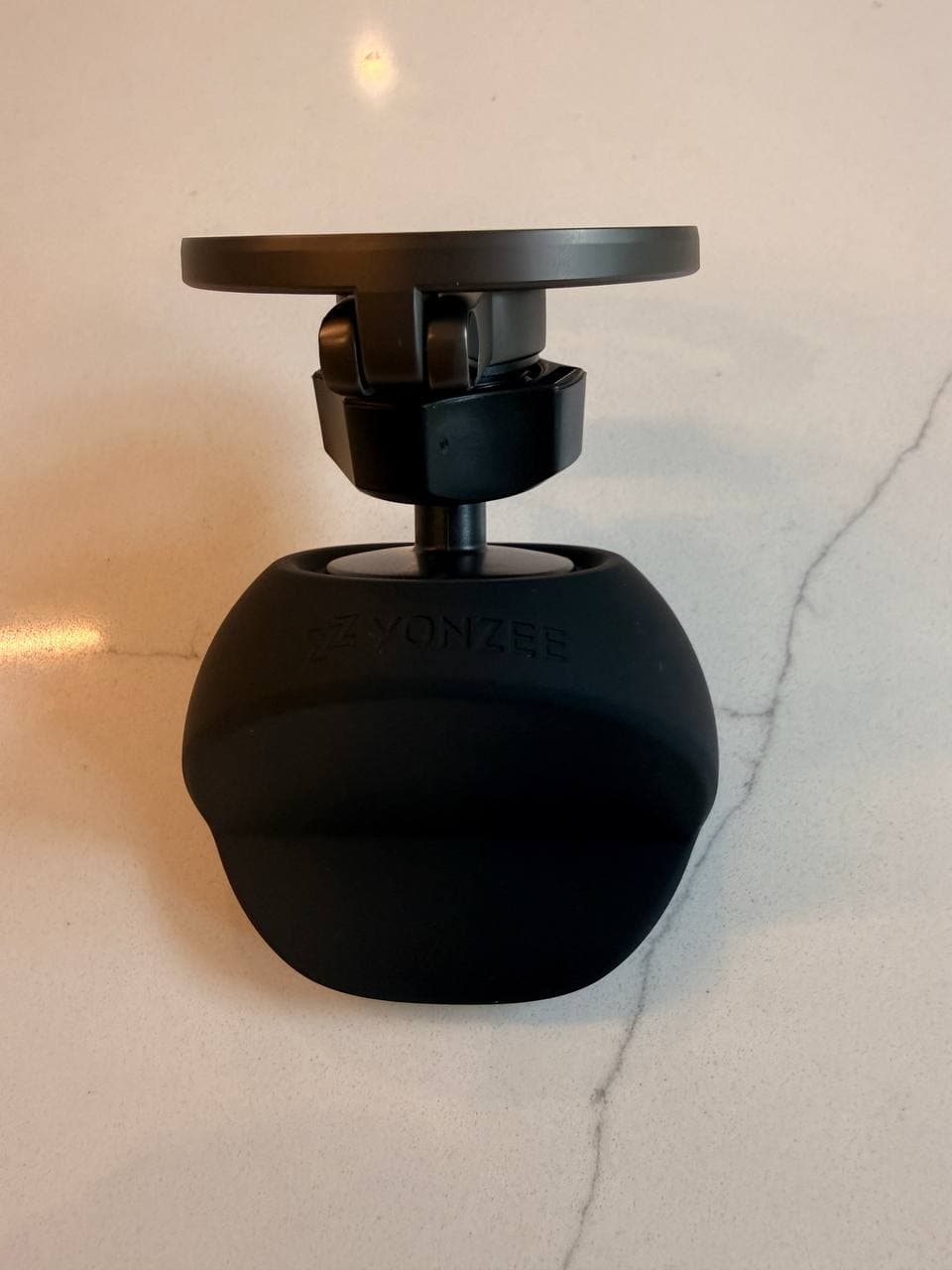
In hand, the mount feels more serious than it looks online. The circular magnetic head is compact, the metal support arm has weight, and the hinge does not feel loose. The rubber base is the part that really matters: it feels dense rather than hollow, which helps the whole mount feel planted once installed.
Installation: No Adhesive, No Commitment
Installation is the best part. The base clips into the front air vent area of the Model Y Juniper dash. There is no adhesive pad, no suction cup, and no need to stick anything to the fabric dash trim. Once seated, it feels firm instead of dangling from a thin vent blade.
That no-adhesive design changes how you use it. You can keep it on the driver side for maps, then move it to the passenger side when parked so someone can watch a video. A permanent adhesive mount cannot do that cleanly.
Driver-Side and Passenger-Side Fit
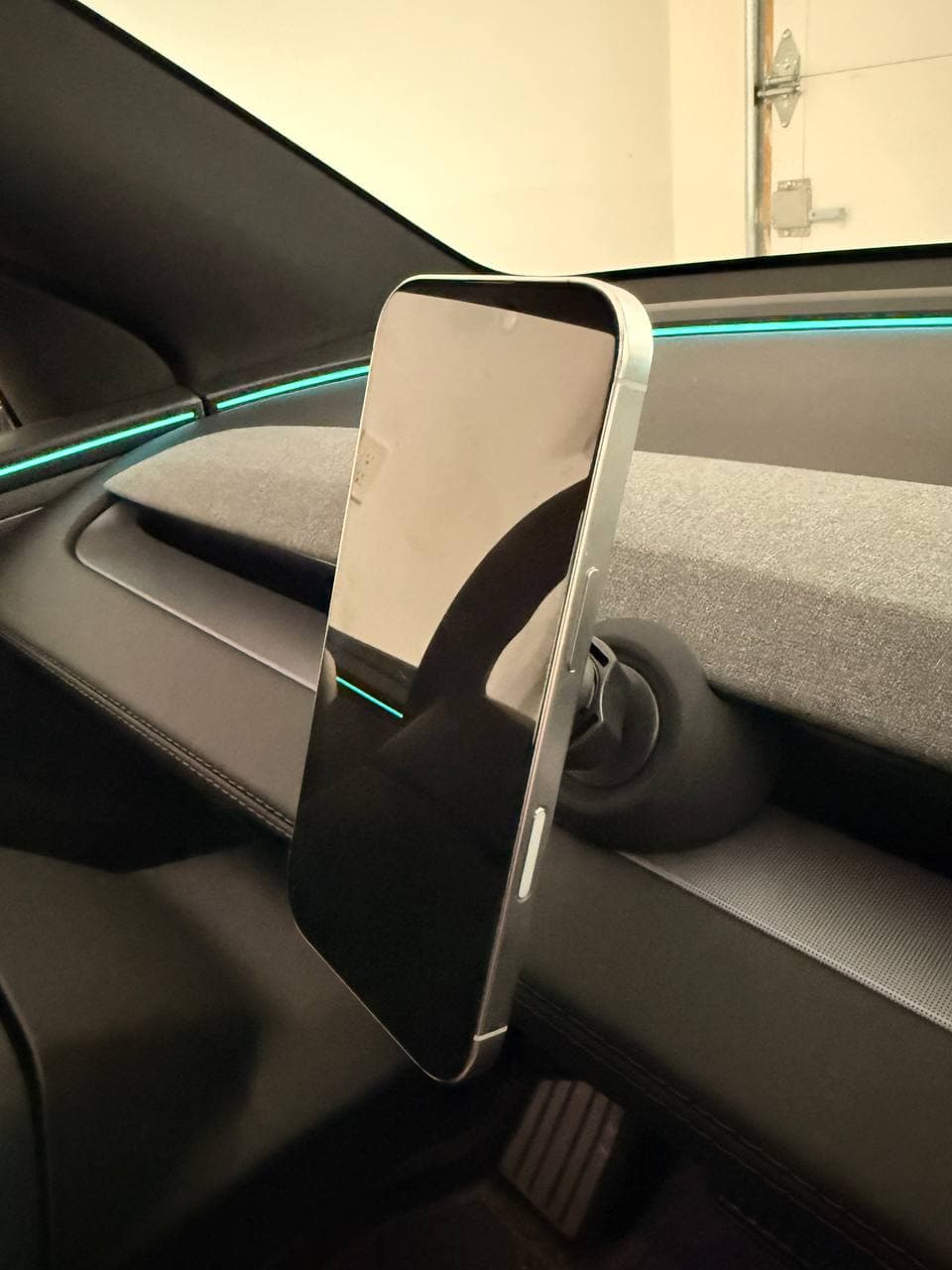
On the driver side, the mount sits low enough that it does not crowd the Tesla center screen. On the passenger side, it becomes more of a convenience mount for parked video, road-trip entertainment, or giving the passenger a stable phone position without cluttering the driver area.
Driving Stability With a Bare iPhone 17
With a bare iPhone 17 attached, normal-driving vibration was small and the phone felt secure. The short arm helps here. Long arms create leverage, which can make even a strong mount bounce or sag. YONZEE keeps the phone close to the dash, so the setup feels tighter.
I would still be careful with very thick non-MagSafe cases. This test was with a bare phone, so case choice can change magnetic hold.
YONZEE vs JOWUA, EVBASE, and Screen Mounts
| Option | Best reason to buy | Tradeoff |
|---|---|---|
| YONZEE | No-adhesive removable magnetic mount; stable and easy to move. | No wireless charging. |
| VICSEED | More adjustable telescoping magnetic arm if you accept a 3M screen-back base. | Less clean/removable than YONZEE because it uses adhesive. |
| JOWUA | Premium integrated wireless-charging setup. | Costs more and is less about quick repositioning. |
| EVBASE | Value wireless charger path. | Less premium feel than the best hardware. |
| Screen-side mounts | Phone stays near the Tesla center screen. | Not everyone wants another attachment on or near the display. |
Buying note
Buy the exact YONZEE ASIN I tested
The tested product is ASIN B0FRXRB3G6. Amazon listings and variants change, so use the direct product link instead of searching generic Tesla phone mount results.
Check YONZEE price on Amazon →Affiliate disclosure: if you buy through this link, Tesla Model Guy may earn a commission at no extra cost to you.
FAQ
Is the YONZEE Tesla phone mount good for the Model Y Juniper?
Yes. In my Model Y Juniper test, the YONZEE magnetic phone mount clipped firmly into the front air vent area, held a bare iPhone 17 securely, and showed only small vibration during normal driving.
Does the YONZEE phone mount use adhesive?
No. That is the main reason to buy it. It uses a dense rubber base that clips into the front air vent area, so you can remove it or move it without sticking a pad to the dash.
Does the YONZEE Tesla mount have wireless charging?
No. This is a pure magnetic phone mount, not a wireless charger. Choose it if you want a clean removable holder; choose JOWUA or EVBASE if built-in wireless charging matters more.
Can you move the YONZEE mount to the passenger side?
Yes. Because it does not use adhesive, you can move it from the driver side to the passenger side. That makes it useful for navigation while driving or passenger-side video use when parked.
Will it work with a phone case?
My test was with a bare iPhone 17. A MagSafe case should be the safer case choice. Thick non-MagSafe cases can reduce magnetic hold, so case choice matters.
Final Verdict
YONZEE is not the most feature-packed Tesla phone mount. It does not try to be a wireless charger or a giant adjustable arm. Its advantage is the opposite: it is compact, heavy for its size, easy to install, and removable without sacrificing normal-driving stability.
If you want a clean Model Y Juniper phone mount that you can use for navigation, then move to the passenger side for parked video, this is the one I would start with.
Some links in this article are affiliate links. If you buy through them, we may earn a small commission at no extra cost to you. This review is based on hands-on testing in a Model Y Juniper with original photos.