Disclosure: Some links in this article are affiliate links. If you buy through them, we may earn a small commission at no extra cost to you. We only recommend products we've researched or tested; see our editorial standards.
Phone Mount + Wireless Charging
Real-world picks for the Model Y Juniper dash, from premium to budget.
REVIEWS / CHARGING
Phone Mounts for Model Y Juniper - Hands-On YONZEE Review + Wireless Charger Picks
Start with the YONZEE magnetic mount if you want a no-adhesive, removable holder for the Model Y Juniper. It is now hands-on tested with a bare iPhone 17: the rubber base clips firmly into the front air vent area, the metal arm feels premium, and normal-driving vibration stayed very small.
I narrowed this down to the mounts owners keep asking about. If you want a simple mount that does not stick anything to the dash, YONZEE is the hands-on pick: it clips in firmly, comes off easily, and can move from driver-side navigation to passenger-side video use. If you want built-in wireless charging, JOWUA and EVBASE are still the safer charger picks.
Last updated: June 2026 · 8 min read
⚡ Quick Verdict
- Hands-On No-Adhesive Pick: YONZEE Magnetic Phone Mount (ASIN B0FRXRB3G6)
- Hands-On Adjustable Pick: VICSEED Tesla Phone Mount (ASIN B0B7JGMPR6)
- Extended-Reach / Shared-Driver Option: ZIDARO Magnetic Phone Mount (ASIN B0GYHR4675; confirm your mounting surface is suitable)
- Premium Charger to Compare: JOWUA (ASIN B0FTFZ5XJD)
- Value Charger to Compare: EVBASE (ASIN B0FDGLLQYK)
- Simple Magnetic Alternative: andobil 3rd Gen Tesla Phone Mount (ASIN B0GK76PSLB)
- Stability-Focused Alternative: iOttie (ASIN B0C7LLK826)
- Screen-Side Alternative: Spigen TapLock Universal Screen Mount (ASIN B0D3FQ679M)
⚠️ Juniper Compatibility Note
Do not blindly buy old 2020-2024 Model Y mounts. For the 2025-2026 Juniper, make sure the listing explicitly mentions Juniper or Model 3 Highland + Model Y Juniper compatibility.
Spigen TapLock: why it is listed separately
Spigen TapLock is not just a random cheap MagSafe puck. It is a Tesla screen-side mount system with multiple variants: MagSafe-only, universal cradle, and wireless charging. That matters because the right version depends on your phone, case, and whether you want charging built into the mount.
Pick TapLock if you want the phone close to the center screen without sticking an adhesive puck on the dash. Pick JOWUA or EVBASE if you prefer a more factory-style side placement and stronger integrated charging behavior.
At-a-Glance Comparison
| Product | Price | Best For | Amazon ASIN |
|---|---|---|---|
| YONZEE Magnetic Phone Mount | $35-40 | Hands-on no-adhesive magnetic mount | B0FRXRB3G6 |
| VICSEED Tesla Phone Mount | $35-40 | Hands-on adjustable 3M magnetic mount | B0B7JGMPR6 |
| ZIDARO Extended-Reach Magnetic Mount | $39.99 | Shared-driver reach; verify Juniper surface fit | B0GYHR4675 |
| JOWUA MagSafe Wireless Charger | $70-90 | Premium charger setup | B0FTFZ5XJD |
| EVBASE Wireless Charger Mount | $45-60 | Value wireless charger | B0FDGLLQYK |
| andobil 3rd Gen Tesla Phone Mount | $35-40 | Simple magnetic alternative | B0GK76PSLB |
| iOttie MagSafe Mount | $45-70 | Stable phone position | B0C7LLK826 |
| Spigen TapLock Universal Screen Mount | $30-45 | Stable screen-side mounting | B0D3FQ679M |
Detailed Reviews
YONZEE Magnetic Phone Mount
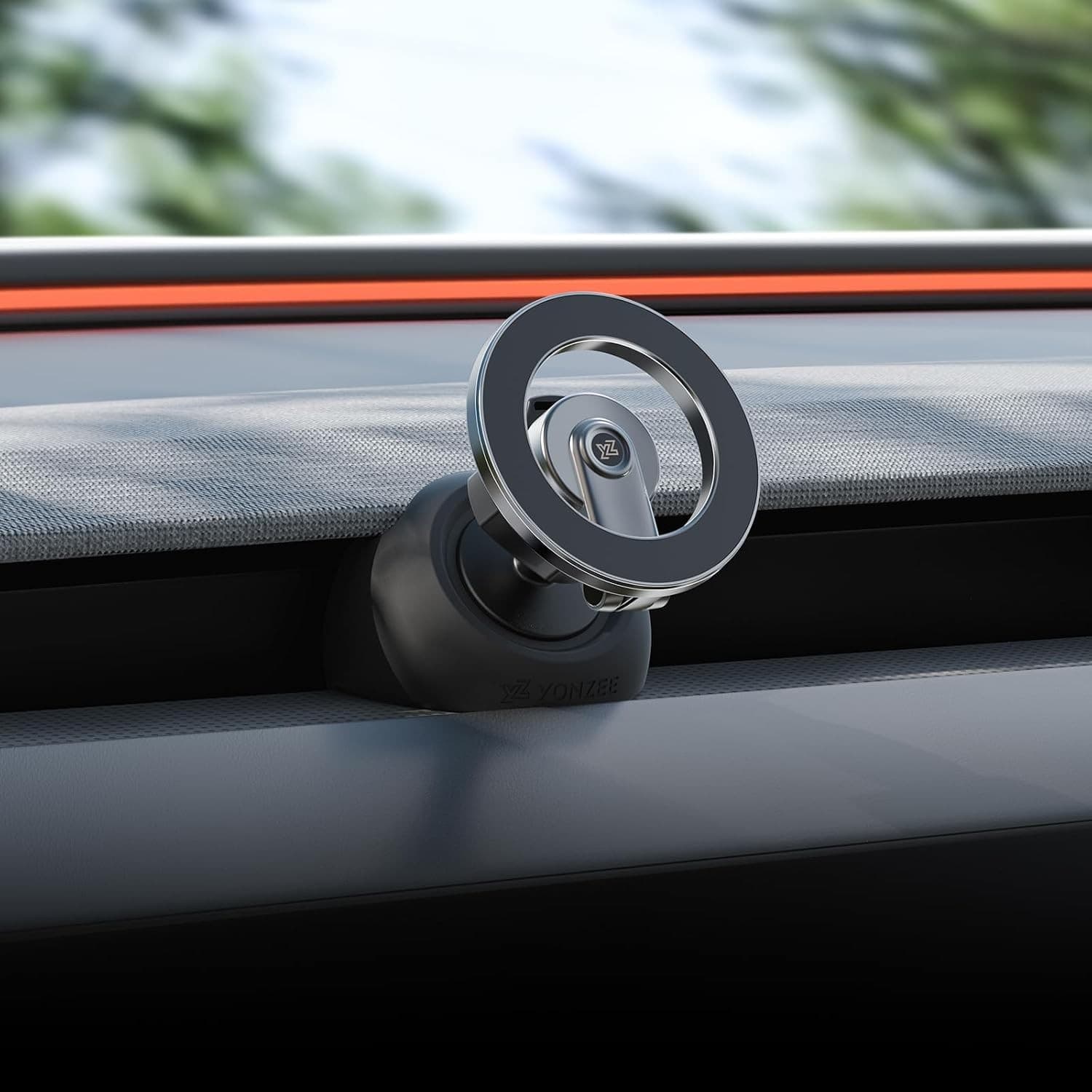
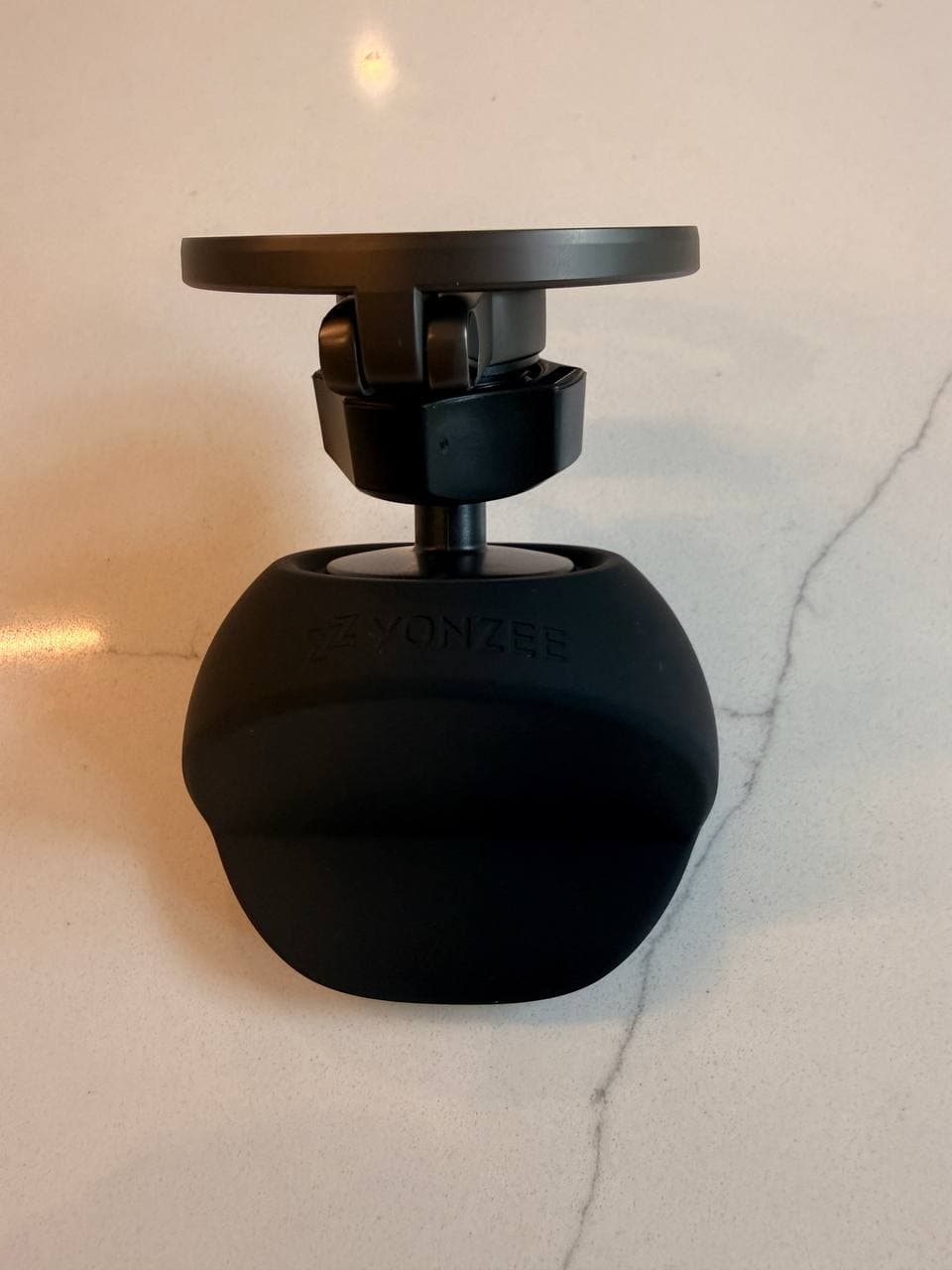
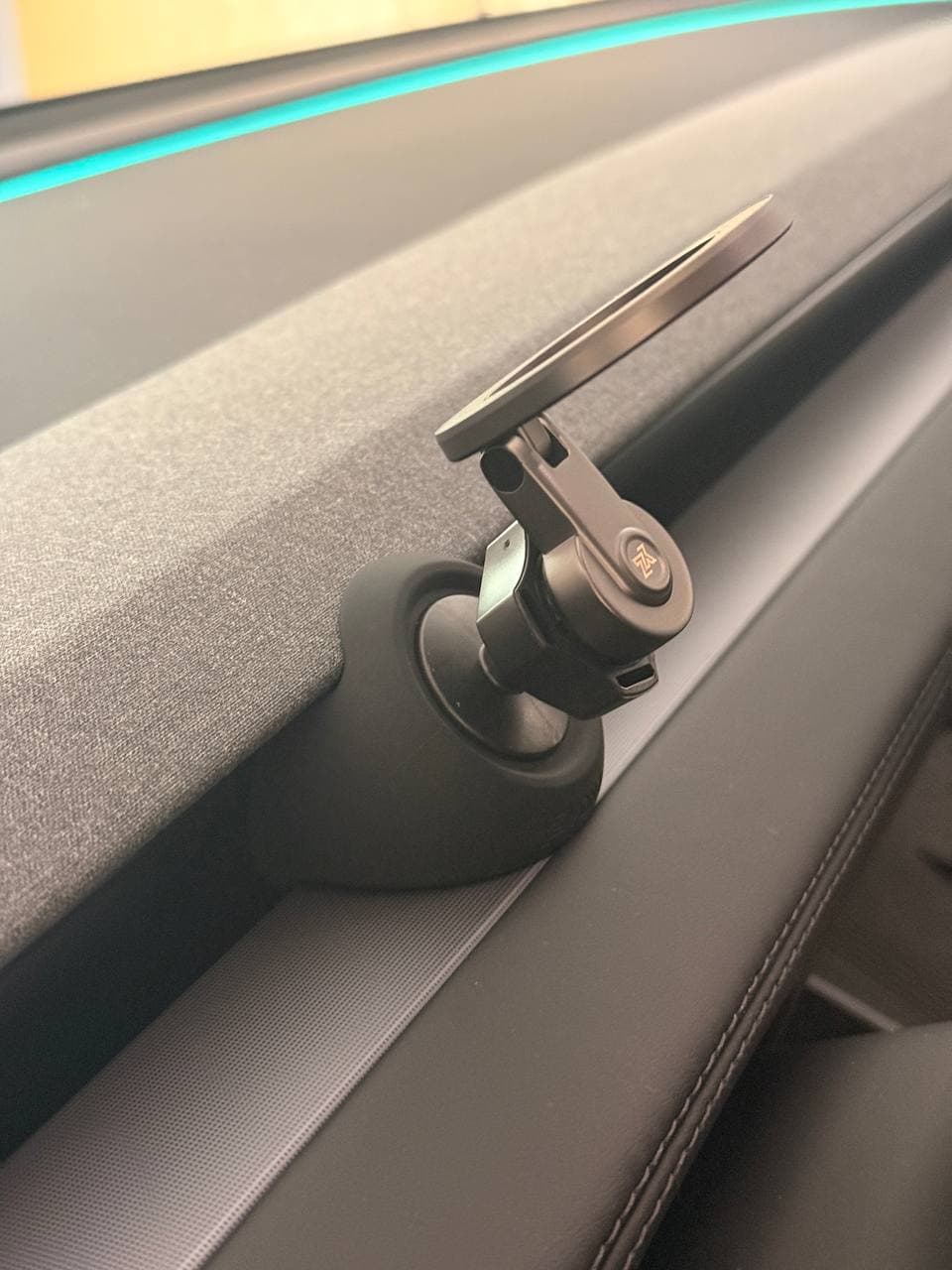
YONZEE is now my hands-on compact magnetic pick for the Model Y Juniper. Tested with a bare iPhone 17, it clips into the front air vent area without adhesive, feels more premium than expected, stays stable with very little vibration, and can be moved from the driver side to the passenger side in seconds.
Compatibility: 2025-2026 Model Y Juniper / 2024-2026 Model 3 Highland
Hands-on test: Tesla Model Y Juniper + bare iPhone 17
Why this one stands out after testing
The selling point is not that YONZEE does everything. It is that it gives you the stability of a fixed mount without the commitment of adhesive.
Tested with a bare iPhone 17, the magnet felt strong and the phone showed only minor vibration. The removable base still makes it my cleaner default pick.
Read the full YONZEE hands-on review →Pros
- - No adhesive, suction cup, or permanent dash pad
- - Dense rubber base clips firmly into the Juniper front air vent area
- - Short metal arm feels heavy, tidy, and stable for its size
- - Easy to move between driver-side navigation and passenger-side video use
- - Stable with a bare iPhone 17 during normal driving
Cons
- - Pure magnetic mount only - no wireless charging
- - Thick non-MagSafe cases may reduce magnetic hold
- - Airflow impact depends on where you place it in the vent channel
VICSEED Tesla Phone Mount
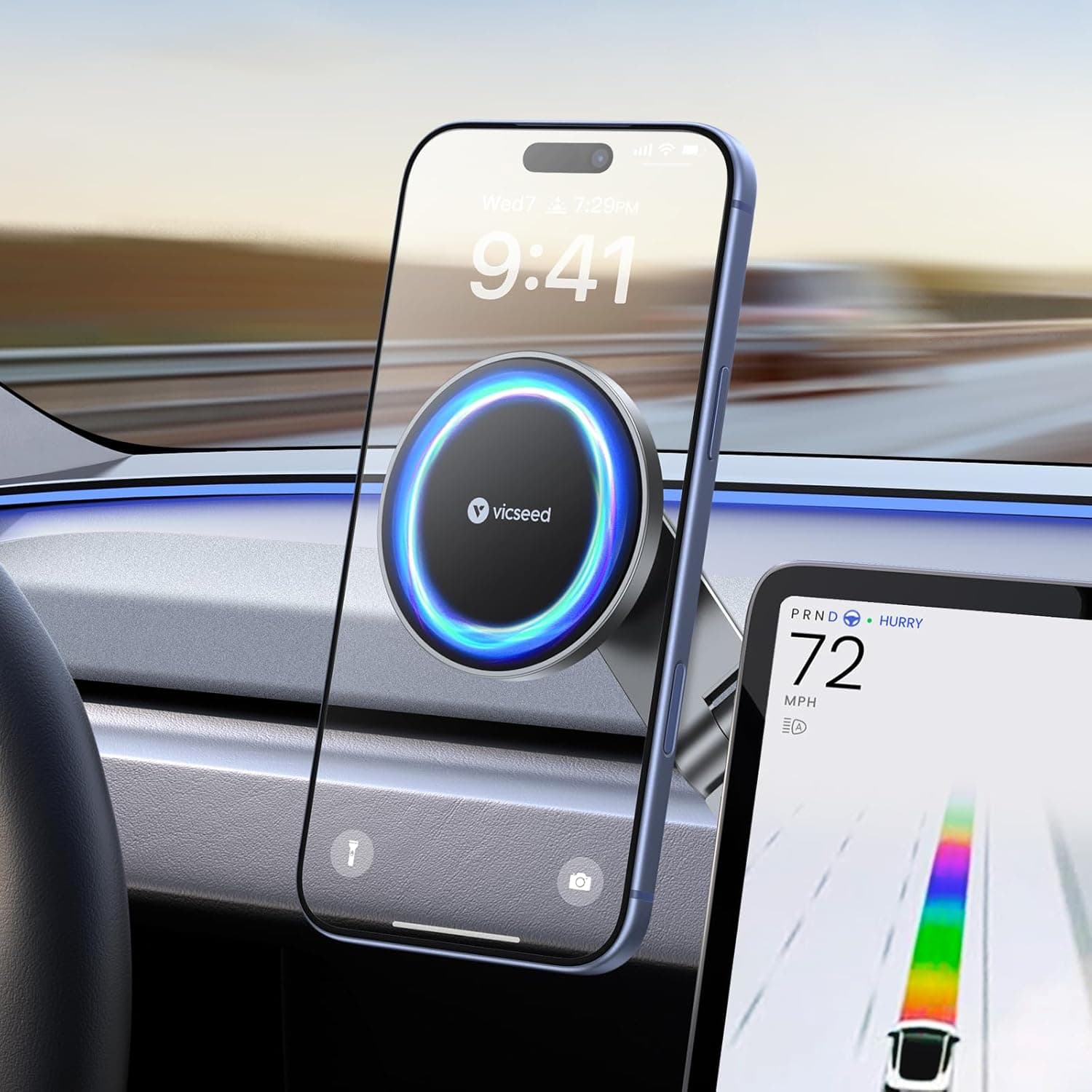
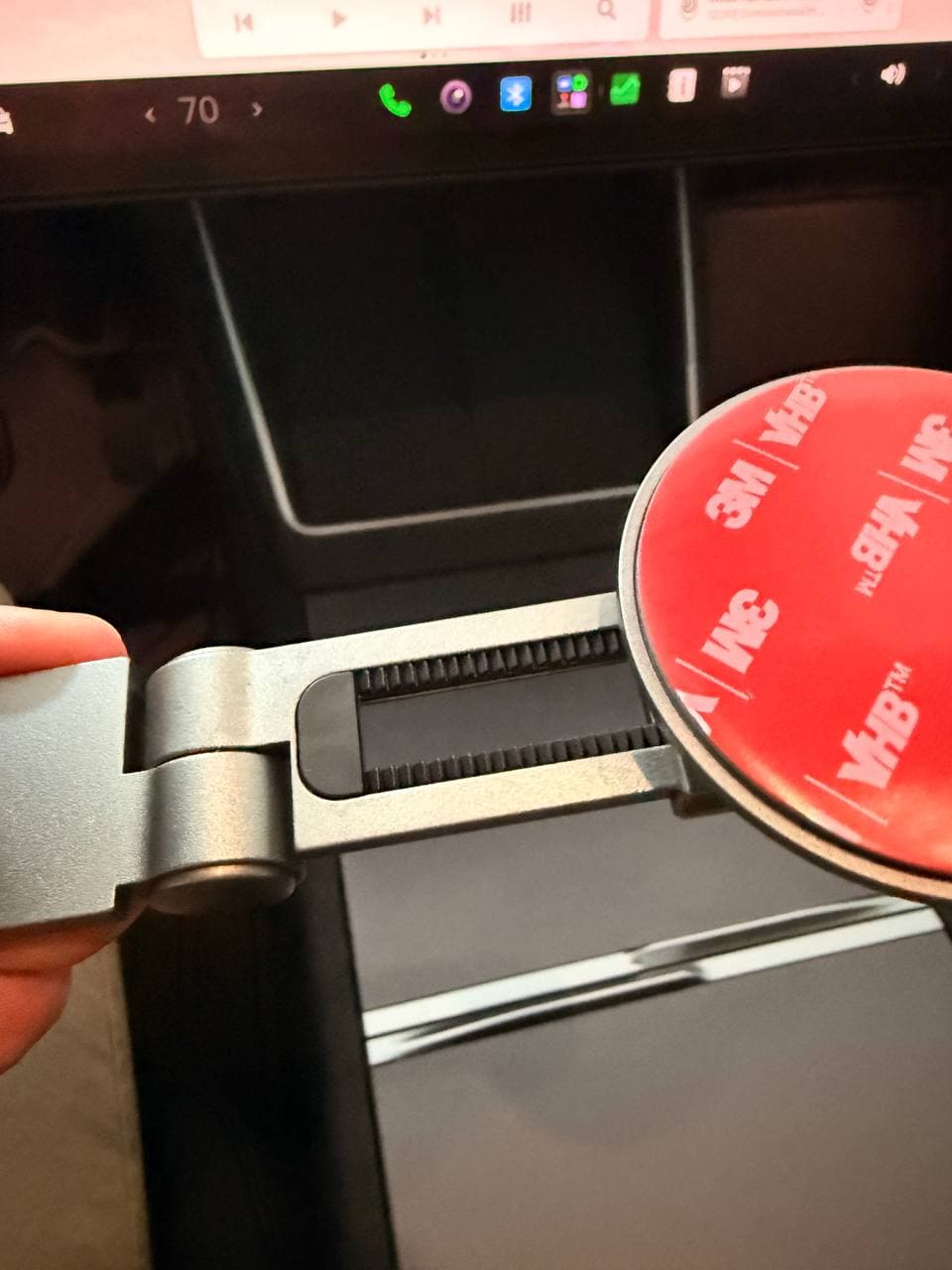
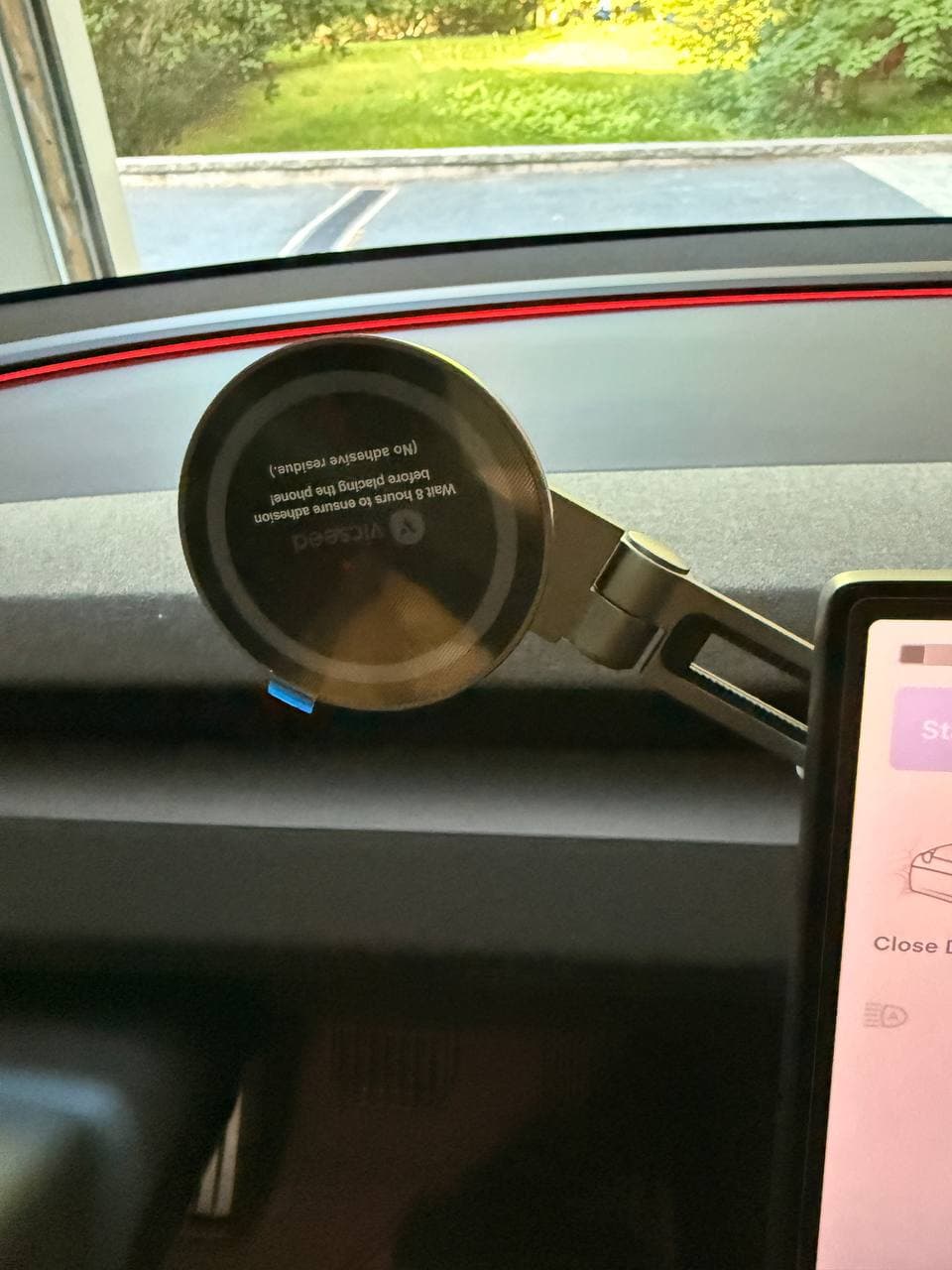
VICSEED is the hands-on adjustable alternative to YONZEE. It uses a 3M adhesive base behind the screen plus a foldable telescoping arm and magnetic ring, so the phone position can move closer to the driver. Build quality felt stable and well-made, but I personally prefer YONZEE's removable no-adhesive clip-in base.
Compatibility: Tesla Model 3 / Model Y / Juniper / Cybertruck per Amazon listing; 3M screen-back install
Hands-on test: Hands-on install/adjustment photos + comparison against YONZEE
Why this one stands out after testing
VICSEED stands out because it is the adjustable path: the 3M-backed base anchors behind the screen, and the telescoping magnetic arm lets the phone sit closer or farther from the driver.
I still prefer YONZEE's removable no-adhesive install, but VICSEED is the stronger option if angle and distance adjustment matter more than a clean reversible mount.
Read the full VICSEED hands-on review →Pros
- - More adjustable than a short low-profile mount
- - Telescoping arm lets the phone sit closer or farther from the screen area
- - Stable lightweight construction in hand
- - Amazon listing claims 12 larger N52 magnets and includes two metal rings for non-MagSafe phones/cases
Cons
- - Uses a 3M adhesive base behind the screen
- - More visible and protruding than YONZEE
- - Not my first choice if you want a clean removable mount
JOWUA MagSafe Wireless Car Charger
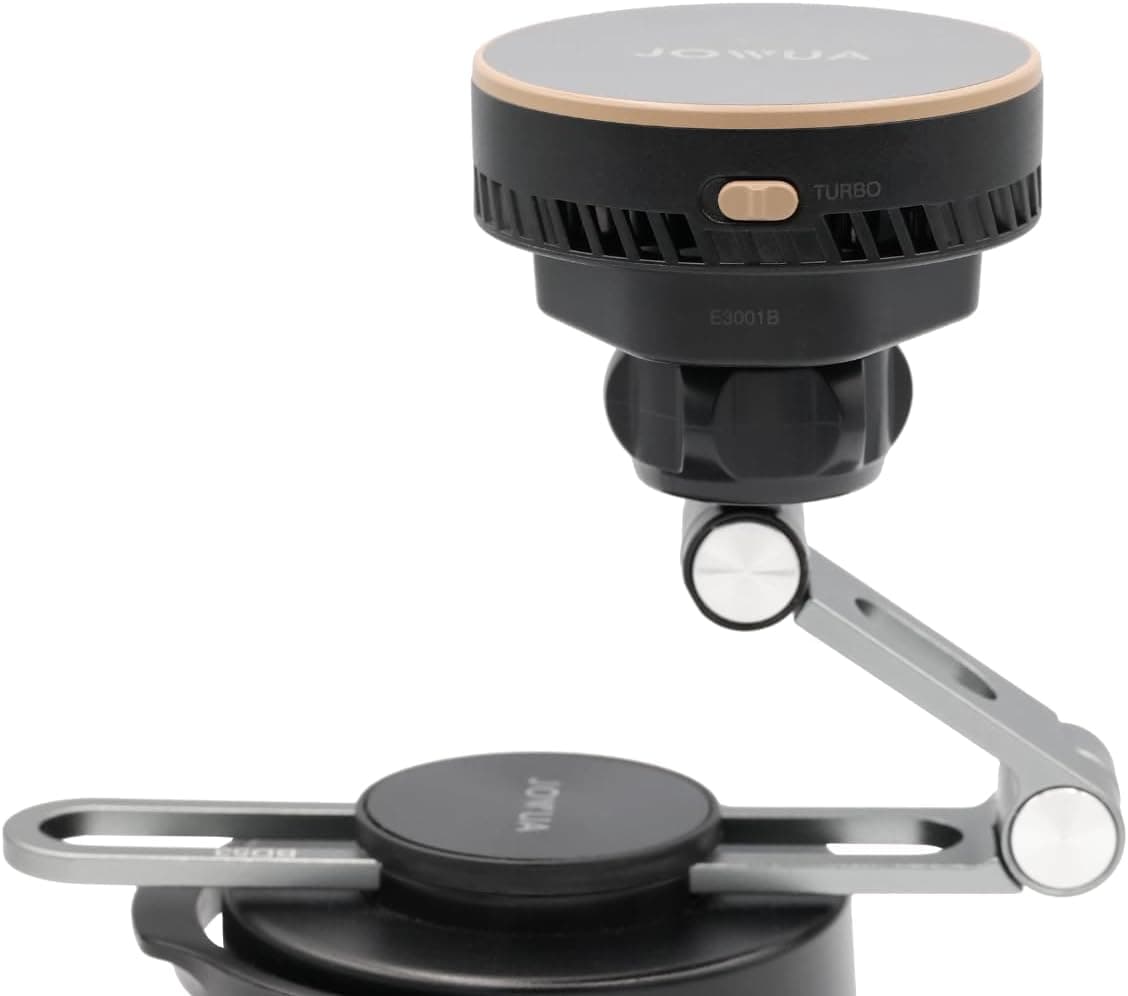
JOWUA is the premium wireless-charging option to compare first if built-in charging matters more than removability. It fits the owner who wants a cleaner factory-style charger setup instead of a simple magnetic holder.
Compatibility: 2026 Model 3 Highland / Model Y Juniper
Pros
- - Very clean OEM-style look
- - MagSafe wireless charging path for owners who do not want a pure holder
- - Better fit if you want one dock for both mounting and charging
Cons
- - Higher price than basic mounts
- - Best fit if you run MagSafe or a MagSafe case
ZIDARO Extended-Reach Tesla Magnetic Phone Mount
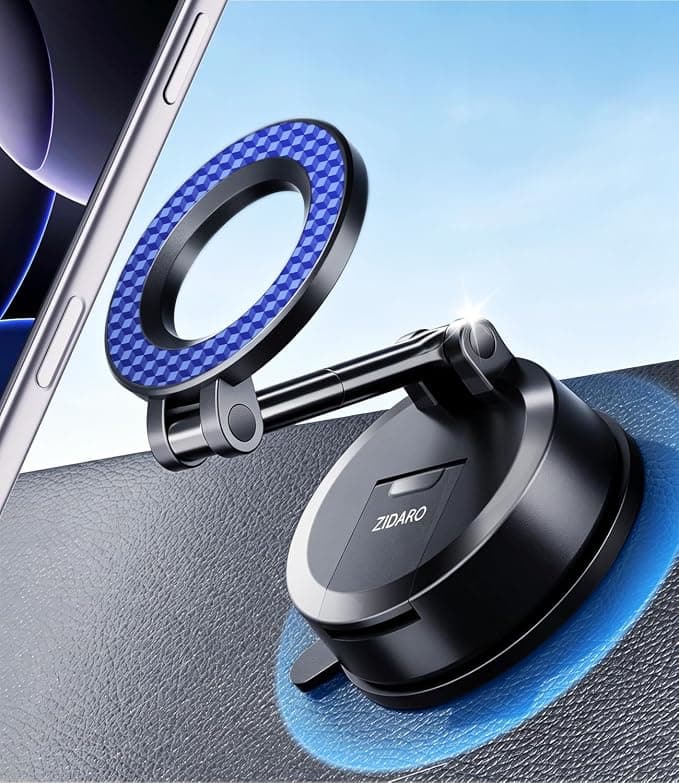
ZIDARO is the extended-reach option to compare if one Tesla is shared by drivers with different seating positions. Its longer adjustable arm and magnetic ring give more room around the center display; choose it only if your intended screen-back or dashboard surface is flat and suitable for the vacuum base.
Compatibility: Tesla Model 3 / Model Y per current Amazon listing; screen-back or dashboard vacuum-suction placement. The listing does not explicitly name Model Y Juniper, so verify your intended mounting surface before buying.
Pros
- - Longer adjustable arm for drivers who need a different phone distance or viewing angle
- - Suction-cup base can mount to a flat screen-back or dashboard area per the listing
- - MagSafe-compatible ring; listing says an included ring supports non-MagSafe phones/cases
Cons
- - Requires a flat mounting area and a firm install; do not assume every Tesla screen or dashboard surface is suitable
- - Current Amazon listing names Model 3/Y, not Model Y Juniper specifically
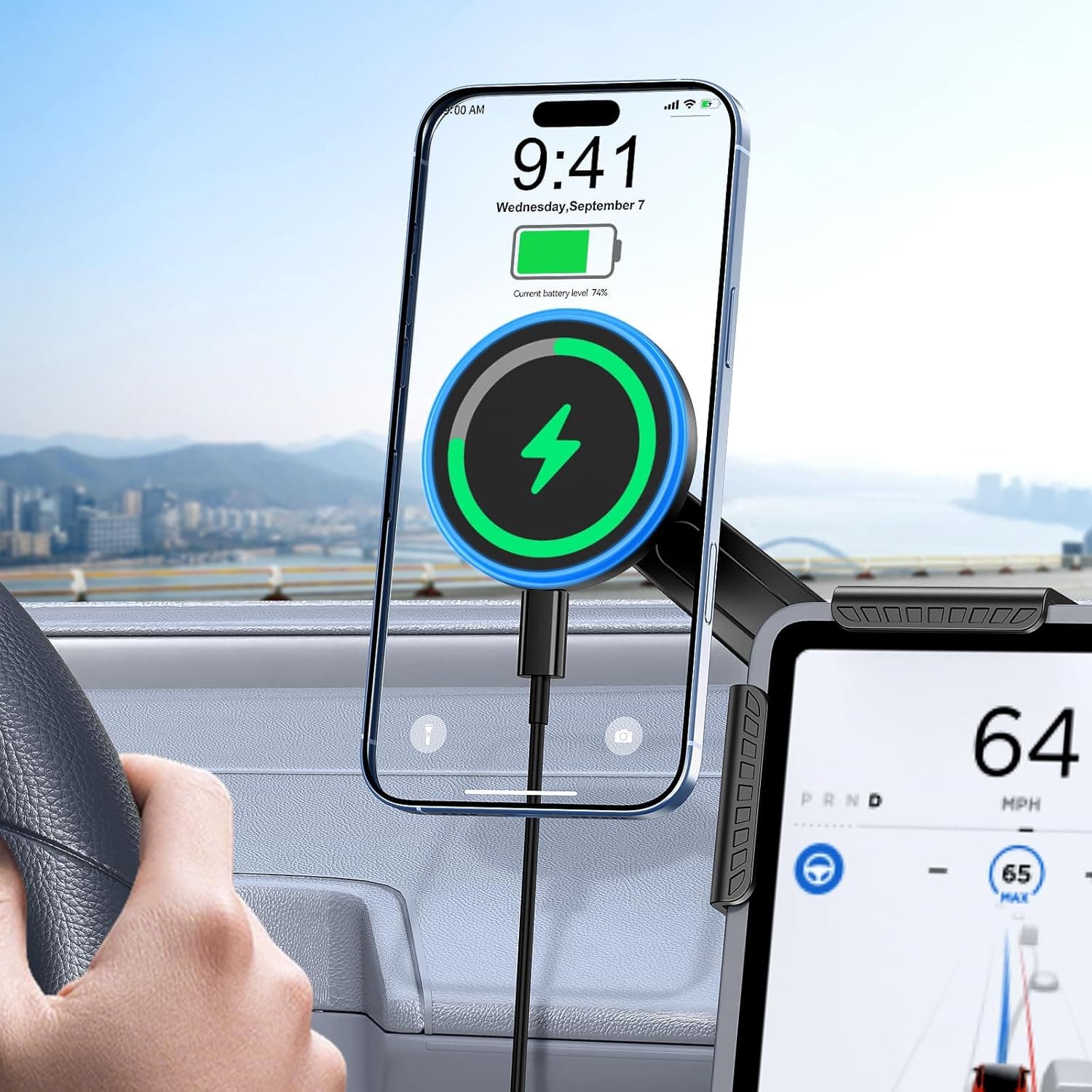
EVBASE Wireless Charger Phone Mount
EVBASE is the value wireless-charging path if you want charging built into the mount but do not want JOWUA pricing. It is the budget-conscious charger pick to compare against the simpler YONZEE holder.
Compatibility: Model 3 Highland / Model Y Juniper
Pros
- - Lower cost with Juniper-focused fitment
- - Wireless charging option for navigation and music use
- - Simple install and angle adjustment
Cons
- - Materials feel less premium than JOWUA
- - Hinge stiffness can vary by unit
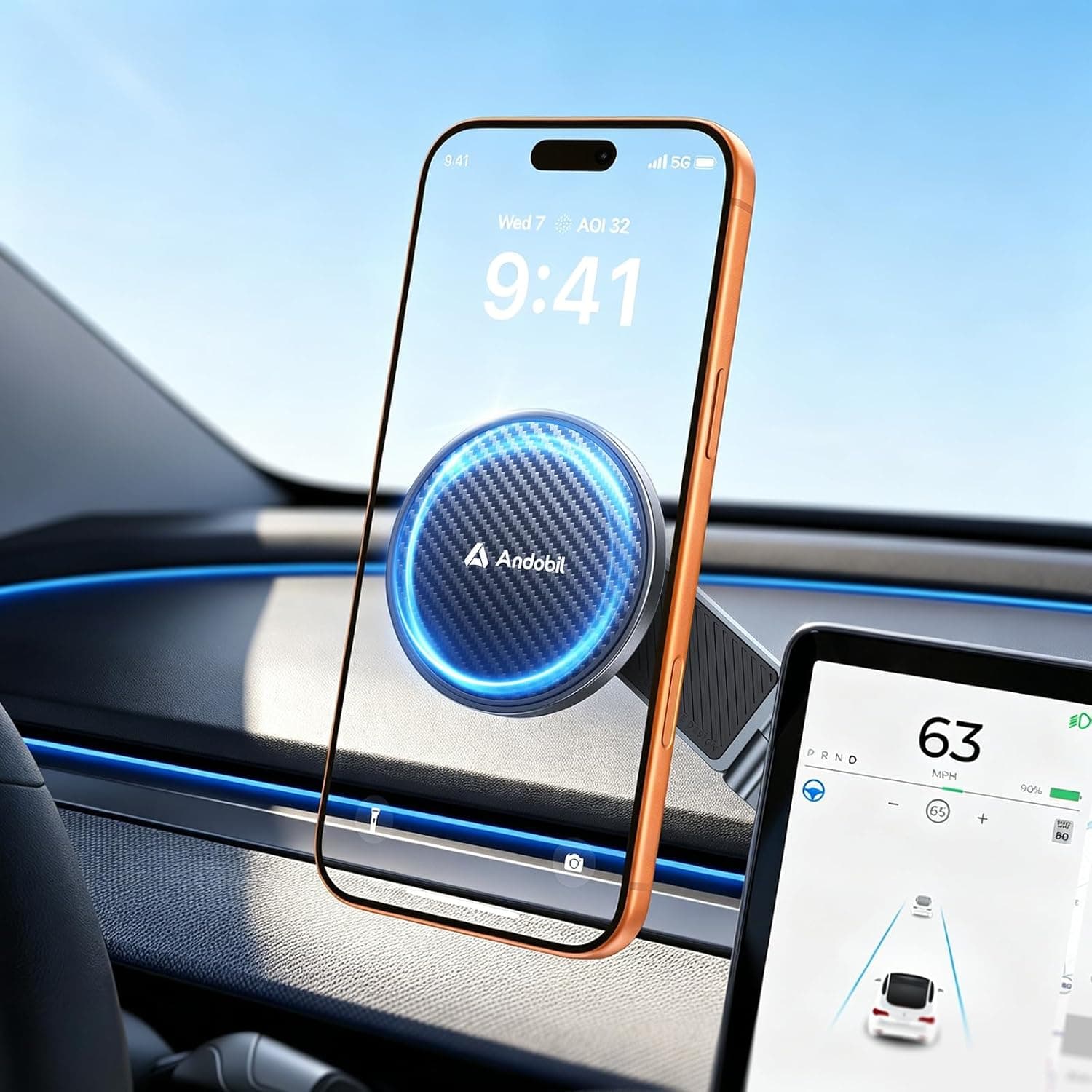
andobil 3rd Gen Tesla Phone Mount
andobil is a simple lower-cost magnetic alternative to compare if you do not need built-in charging.
Compatibility: Model 3 / Model Y Juniper / Cybertruck; verify exact variant
Pros
- - Lower price point
- - Fold-away arm design may keep the cabin cleaner when not in use
- - Magnetic hold depends on your phone and case combo
Cons
- - YONZEE is still the cleaner no-adhesive pick here
- - Confirm exact Juniper fitment and phone/case compatibility before checkout
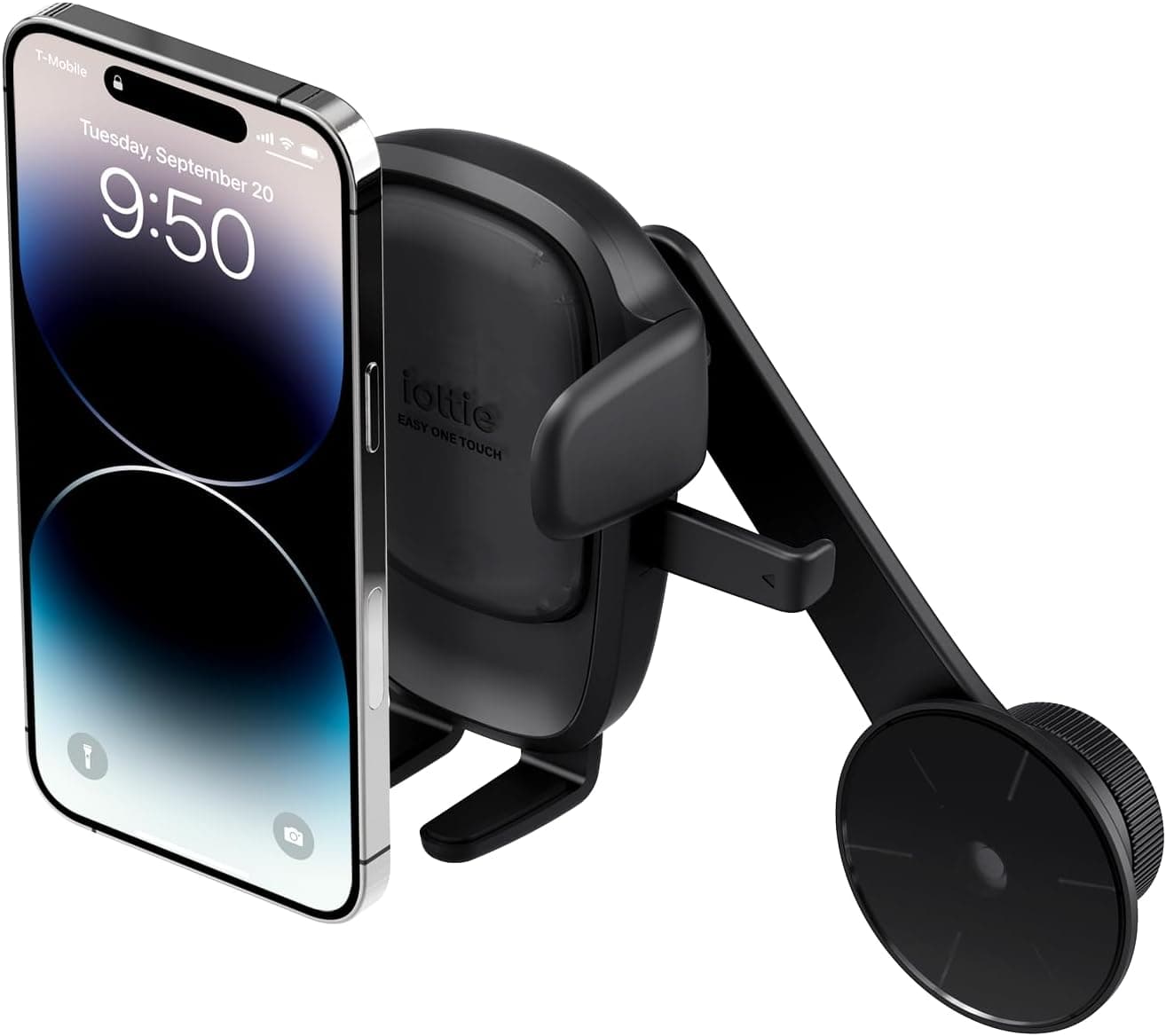
iOttie MagSafe Phone Mount
iOttie is the stability-focused alternative if you care more about a firm viewing angle than a low-profile removable mount. It is the pick for owners who prioritize mount structure and map visibility over a minimalist look.
Compatibility: Tesla Model 3 Highland / Model Y Juniper
Pros
- - Stability-focused design
- - Positioning aimed at map visibility without blocking sight lines
- - Known mount hardware brand
Cons
- - Charging performance depends on phone/case combo
- - Can cost close to premium options when not on sale
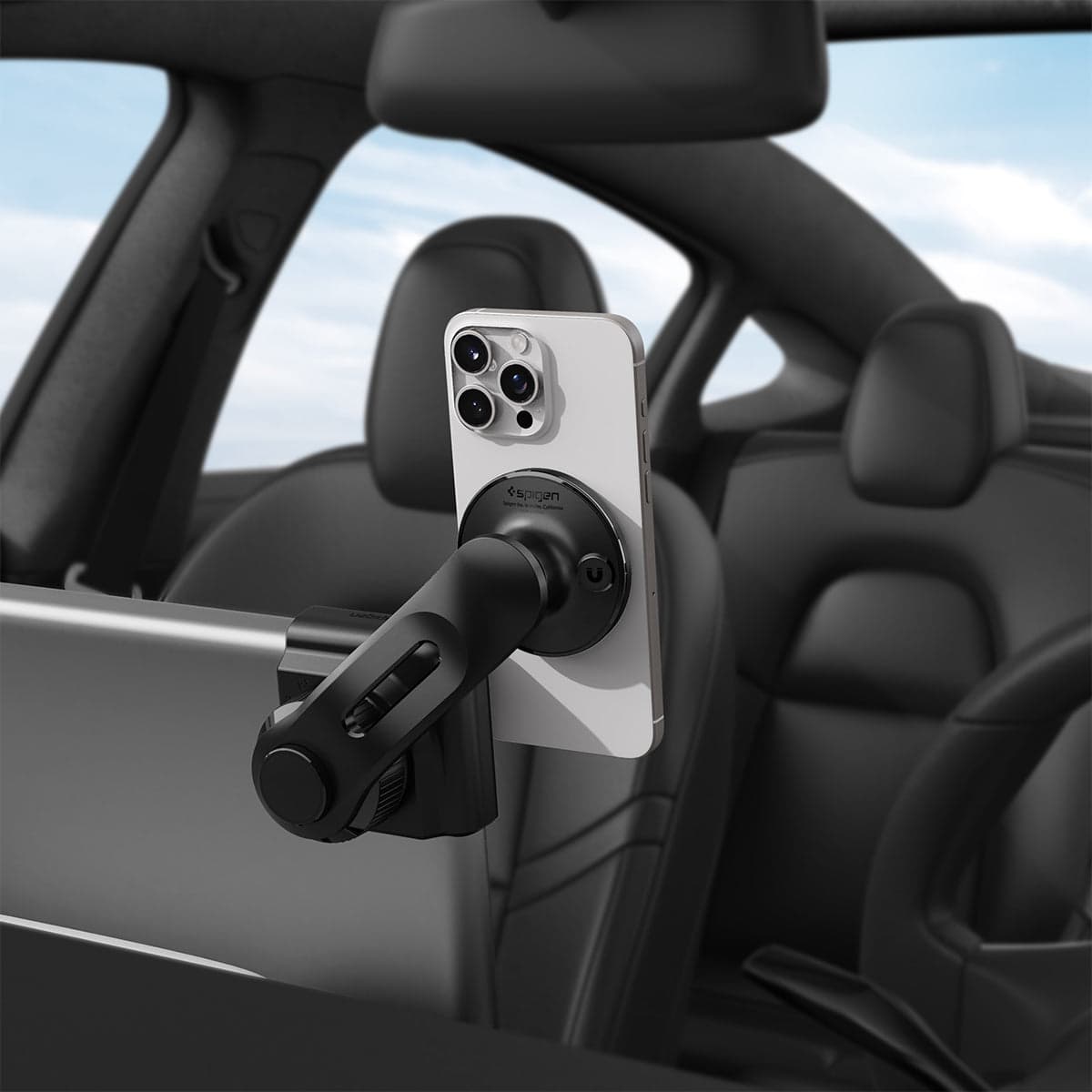
Spigen TapLock Universal Screen Mount
Spigen TapLock is the screen-side option if you want the phone closer to the Tesla display instead of on the dash or vent area. Choose the exact variant carefully: MagSafe-only, cradle, and charging versions are different.
Compatibility: Tesla touchscreen mount; confirm phone/case variant before buying
Pros
- - Known Spigen hardware instead of an unknown generic listing
- - Screen-side mount path keeps the dash clean
- - Good option if you want the phone closer to the center screen
Cons
- - Variant choice matters: MagSafe, cradle, and wireless charging versions are different
- - Less factory-looking than a Juniper-specific side-arm charger
FAQ
Does the YONZEE mount use adhesive?
No. It clips into the Model Y Juniper front air vent area, so you can remove it or move it from the driver side to the passenger side without sticking a pad to the dash.
Is YONZEE a wireless charger?
No. It is a pure magnetic phone mount. If you want built-in charging, compare JOWUA or EVBASE instead.
Do older Model Y mounts fit Juniper?
Some do, many do not fit cleanly. Juniper owners should buy listings that clearly mention Model Y Juniper or 2025-2026 compatibility.
Will MagSafe charging keep up with navigation and music?
Usually yes for normal driving. If you run heavy navigation, bright screen, and video calls, premium chargers like JOWUA and EVBASE hold charge more consistently.
Is the Spigen TapLock screen mount worth it?
Yes if you want the phone close to the Tesla screen and do not want a sticky dash puck. Just confirm which TapLock variant you are buying: MagSafe-only, universal cradle, and wireless charging versions are not the same.
Bottom Line
Start here: YONZEE is now the hands-on pick if you want a compact magnetic holder that does not use adhesive. The big advantage is flexibility: it feels stable like a fixed mount during normal driving, but you can pull it out and move it to the passenger side for parked video or road-trip use.
Wireless charger path: JOWUA and EVBASE are the charger alternatives to compare if you do not want a pure magnetic holder. Pick that path if charging matters more than quick removability.
Shared-driver path: ZIDARO is the longer-reach magnetic option to compare when drivers want different phone positions. Its vacuum-suction base needs a flat, suitable Tesla screen-back or dashboard surface.
Screen-mount path: Pick Spigen TapLock if you want a cleaner center-screen mount instead of a dashboard-side magnetic arm.
Some links in this article are affiliate links. If you buy through them, we may earn a small commission at no extra cost to you.