Disclosure: Some links in this article are affiliate links. If you buy through them, we may earn a small commission at no extra cost to you. We only recommend products we've researched or tested; see our editorial standards.
S3XY Knob & Buttons Review
Physical controls for your Tesla. The upgrade the touchscreen purists don't want you to know about.
REVIEWS / STEERING WHEEL
Are S3XY Knob & Buttons Worth It?
S3XY Buttons suit drivers who want a few quick actions; the Knob makes more sense if dial-style climate and volume control matter. Check Enhauto's current install guidance for your exact Tesla before ordering.
Tesla's all-touchscreen approach is polarizing. Some love it; some miss having a physical knob for climate and volume. Enhauto's S3XY Knob and S3XY Buttons are a popular physical-control option with configurable shortcuts for common Model Y controls.
Last updated: August 6, 2026 · 10 min read
⚡ Quick Verdict
- S3XY Knob: Best for owners who want a BMW iDrive-style dial for volume, climate, regen, and Autopilot.
- S3XY Buttons: Best for quick-fire actions — frunk, glovebox, seat heat, and charge port. Simpler and usually the lower-cost route.
- Commander Module: Check the configuration: Enhauto sells the Knob with or without Commander, while its six-Button bundle currently includes one.
- ⚠️ Fitment: Enhauto has a separate Highland/Juniper install path. Confirm the current guide for your exact car before buying.
⚠️ Juniper Compatibility Notice
Enhauto currently publishes a separate Model Y Juniper tutorial and a 2024-2026 Highland/Juniper install path. Check both against your exact car before ordering.
Enhauto says Tesla changes can break some functions and that compatibility updates are guaranteed during the device warranty period. That policy was checked August 6, 2026; it is not a promise that every configuration is currently supported.
Model 3 vs Model Y: What Changes at Installation?
Start with the generation, not just the badge. Enhauto's current Knob guide separates Model 3/Y 2021-2024 from 2024-2026 Highland and Juniper: the earlier path uses USB-C power, while the newer path uses the 12V port. The product sits in the center console in both guides.
For the hardware in the box, the current Knob listing offers either Knob + Commander or Knob Only. Enhauto's current six-Button bundle lists six wireless buttons, a Gen2 Commander, a wire for the selected model, and a pry tool. Do not assume a cable from an older install matches a newer car; use Enhauto's current guide for the selected model and generation.
Sources checked August 6, 2026: Enhauto Knob guide, Enhauto FAQ, and Enhauto's current six-Button product listing.
What Are S3XY Knob & Buttons?
Both products are made by Enhauto (Enhance Auto) and work through a "Commander" module — a small OBD dongle that plugs into your Tesla's diagnostic port. This module talks to your car's systems and enables physical controls that normally require the touchscreen.
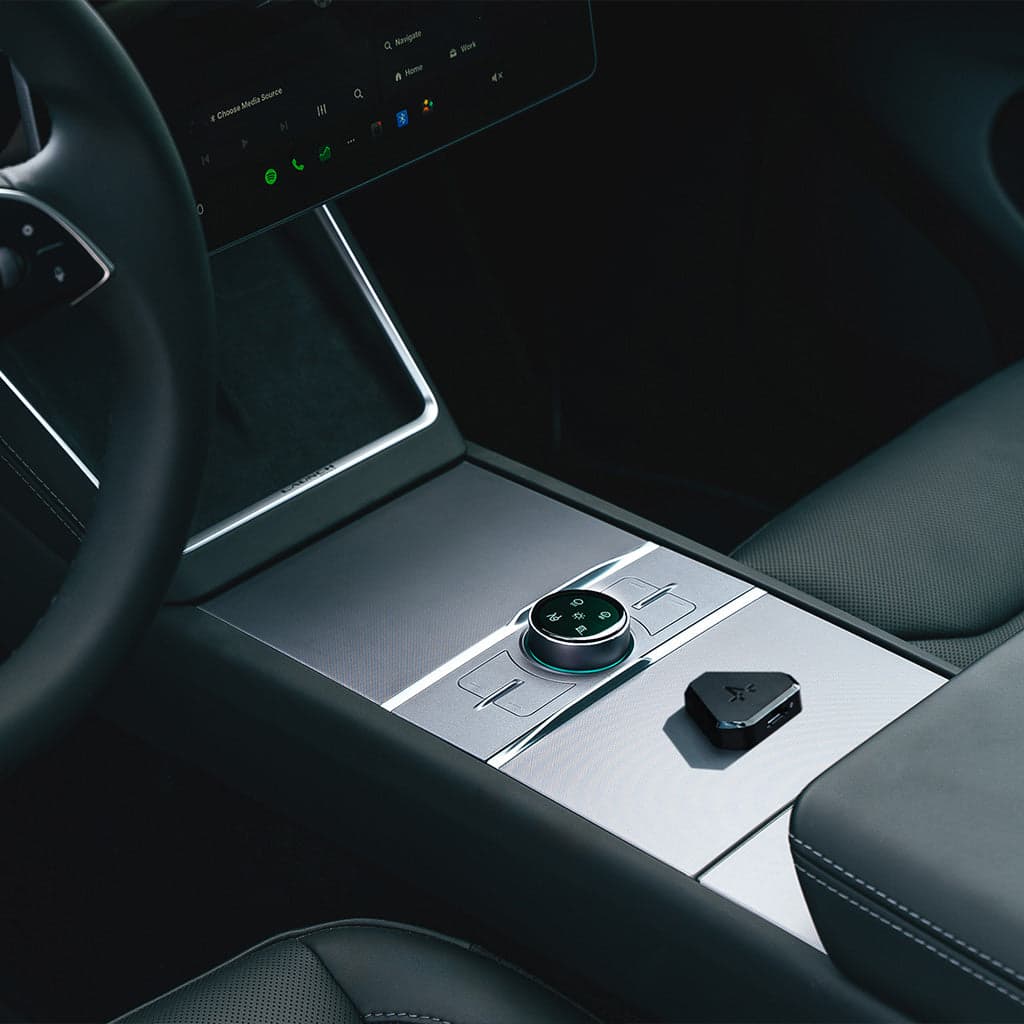
🎛️ S3XY Knob
A rotary dial with OLED display that mounts on your center console. Rotate for volume/climate, press for shortcuts. Think BMW iDrive but for Tesla.
- • OLED display with visual feedback
- • 4 physical buttons + rotary dial
- • 5 customizable pages × 5 actions each
- • Built-in haptic vibration
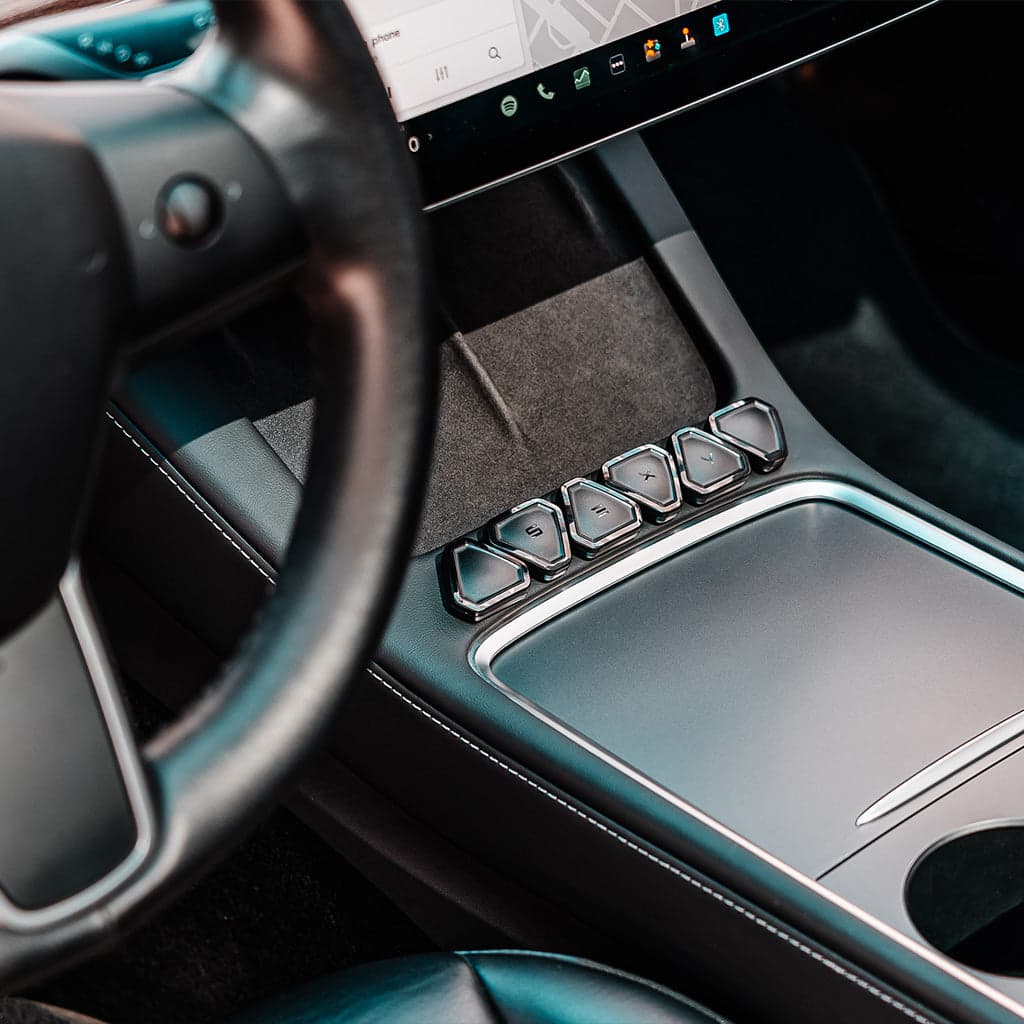
🔘 S3XY Buttons
Self-adhesive Bluetooth buttons you stick anywhere — steering column, console, door panel. Each button supports 3 actions (single, double, long press).
- • Available in 2, 4, or 6-button sets
- • 3 actions per button (9 functions per button)
- • Stick anywhere with adhesive
- • Smaller, more discreet than the Knob
What Can You Actually Do With Them?
Enhauto lists configurable shortcuts across driving, comfort, and convenience controls. Here are common examples:
🚗 Driving
- • Toggle regen braking strength
- • Switch Chill/Sport acceleration
- • Activate/re-engage Autopilot
- • Continuous Autopilot (auto re-engage)
- • Wiper speed control
- • Off-road mode toggle
🌡️ Comfort
- • Adjust cabin temperature
- • Fan speed control
- • Toggle heated seats/steering wheel
- • Bioweapon Defense Mode
- • Battery preconditioning
- • Rear climate control
📦 Utility
- • Open frunk/trunk/glovebox
- • Open charge port
- • Open passenger door
- • Mirror fold/adjust
- • Strobe lights
- • Courtesy honk
S3XY Knob vs S3XY Buttons — Which One?
| Feature | S3XY Knob | S3XY Buttons |
|---|---|---|
| Price | Check current bundle pricing | Check current bundle pricing |
| Form Factor | Rotary dial + OLED | Adhesive buttons |
| Best For | Climate, volume, scrolling | Quick-fire single actions |
| Placement | Center console | Anywhere |
| Display | OLED with page navigation | None (muscle memory) |
| Haptic Feedback | Yes (built-in vibrator) | Click feel only |
| Actions Per Unit | 25+ (5 pages × 5) | 3 per button (9 with gestures) |
| Installation | Console mount | Peel-and-stick |
Our take: If you want one product, start with the S3XY Buttons. They're cheaper, simpler, and immediately useful for the 5-6 actions you do most. If you find yourself wanting more — especially analog control over climate and volume — add the Knob later. Many owners end up with both.
Honest Concerns
QC reports on the Knob
Some Reddit users have reported paint peeling, the knob detaching, and OLED burn-in after about a year. These reports appear isolated, but they are worth considering for a premium accessory.
Fitment can change
Tesla revisions can affect third-party CAN-BUS accessories. Enhauto says it adapts software when Tesla changes break functions and guarantees compatibility updates during the device warranty period. That is a reason to verify the current install path before buying, not a guarantee for every car.
Do you actually use dozens of shortcuts?
Realistically, most owners use 5-10 actions regularly. The Knob shines if those include climate/volume (analog control). If you just want 4-5 button presses, the Buttons alone might be enough.
Where to Buy
S3XY Knob + Commander Bundle
Official Enhauto store · check current price and configuration
S3XY Buttons (6-pack + Commander)
Official Enhauto store · check current price and configuration
All Enhauto Products
Browse all options, bundles, and accessories
FAQ
Do S3XY Knob and Buttons work with the Model Y Juniper?
Enhauto currently has a Juniper-specific tutorial and a separate 2024-2026 Highland/Juniper install path. Check its current guidance for your exact car before buying; Tesla revisions can change third-party accessory behavior.
Do I need the Commander module?
Check the configuration before buying. Enhauto currently offers the Knob with or without Commander, while its six-Button bundle lists a Gen2 Commander and a selected-model wire in the box.
Will it void my warranty?
No. It's plug-and-play via the OBD port. No permanent modifications, no wire cutting. Unplug it and it's like it was never there.
S3XY Knob vs Buttons — which one first?
Start with Buttons if you want quick actions (frunk, glovebox, seat heat). Get the Knob if you miss having analog climate/volume control. Many owners end up with both.
Can it control Autopilot?
Yes, with Commander. You can set shortcuts for Autopilot activation, continuous re-engage after lane changes, and more. Some features depend on your Tesla's firmware version.
Bottom Line
S3XY Buttons are the best entry point — simple, affordable, and immediately useful. Stick one near your steering column for the frunk, another on the console for seat heat.
S3XY Knob is the premium choice for people who want analog control over climate, volume, and regen. If you came from a BMW/Audi with a physical controller, you'll love it.
Both together may suit drivers who want both dial control and quick actions. Before ordering, verify Enhauto's current installation guidance for your exact model and generation.
Some links in this article are affiliate links. We may earn a small commission at no extra cost to you.