Charging cost / app
Tesla charging cost: what does the app or station price actually mean?
Answer-first guide to Tesla charging cost: whether Tesla charging stations cost money, what the Tesla app cost card does and does not include, why home electricity rates can be wrong, and how to compare app numbers with receipts and real utility bills.
Updated Jun 2026 · Owner guidance only: have a licensed electrician verify circuits, permits, load calculations, and local code before installing or relying on high-amperage charging.
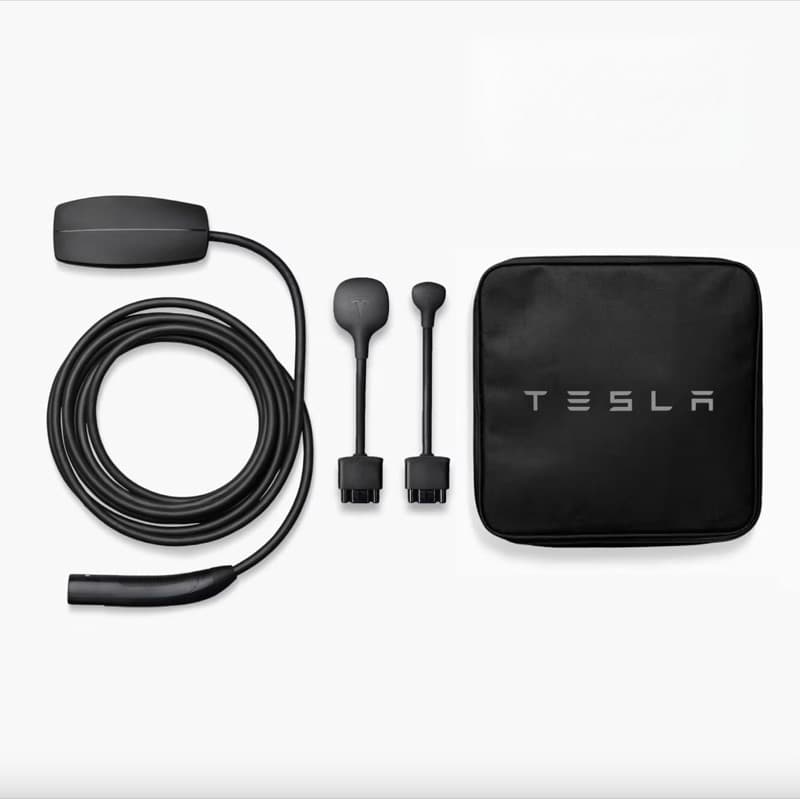
Charging-cost questions need the same split every time: app estimate, station receipt, utility rate, charging routine, and miles driven.
Short answer
- Do not confuse Tesla app cost with charging cost: the app is free; electricity, Supercharging/public charging, idle fees, and subscriptions are separate.
- When people ask whether Tesla charging stations cost money, the practical answer is: check the car/app for that station's current price before plugging in.
- Home charging estimates depend on the rate you enter or the rate Tesla can infer; utility plans, taxes, delivery fees, and time-of-use periods can make it wrong.
- If a station appears cheap or free, confirm whether it is Supercharging, Destination Charging, workplace/hotel charging, a promo/credit, or a non-Tesla network with its own payment flow.
- Do not mix one-time charging hardware, adapter, or CCS retrofit costs into the app's charging-cost estimate; those are separate purchase/service decisions.
- If the app shows a weird charging-status message at the same time, solve the status problem first; bad session data can make cost tracking misleading.
- Use the app as a directional tracker, then compare against kWh, utility bill, Supercharger invoices, and your driving miles.
Cost sanity flow
Separate app fee, public-station price, charging estimate, and real utility bill.
Check 1
App access
Normal Tesla app owner access is not a monthly fee.
Check 2
Station cost
Supercharging/public station prices are station- and session-specific; check the car/app before plugging in.
Check 3
Utility rate
Use the real rate from your bill, including time-of-use periods where relevant.
Check 4
Full month
Compare a month of kWh and miles, not one app screenshot.
Pick the right source of truth for the cost question.
Supercharger/public station
Use the in-car/app price before charging and the final receipt after the session.
Home charging
Use your utility rate, time-of-use window, taxes/fees, and kWh over a full billing cycle.
Destination/workplace/hotel
Confirm whether the site comps it, bills through another network, or requires its own app/RFID/payment step.
Savings comparison
Use miles driven, kWh used, gas price, and your old vehicle mpg—not one generic national estimate.
Next-step checklist
Choose the right fix before buying charging hardware
1 · Decide
Match setup to routine
Daily miles, overnight hours, parking access, panel capacity, and backup needs decide the setup — not charger hype.
2 · Scope
Prepare the electrician quote
Take photos, map the wire route, ask about permits, confirm load capacity, and choose hardware only after the install path is clear.
3 · Buy / install
Buy after the real problem is clear
Once you know whether the issue is app status, outlet limits, Wi-Fi, panel capacity, or hardware, the charger and cable choices become much easier.
Applies to
| Tesla model / owner type | Applies? | Why it matters |
|---|---|---|
| Model 3 / Model Y owners | Yes | Most home-charging decisions are shared: daily miles, parking access, panel capacity, outlet quality, and overnight dwell time matter more than trim. |
| Model Y Juniper owners | Yes | Juniper does not change the basic home-charging decision; it does make day-one setup a good time to plan garage cable management and backup charging. |
| Model S / Model X owners | Mostly | The decision framework applies, but battery size, commute length, and max AC charging capability can change comfort margin. |
| Cybertruck owners | Sometimes | Use the same questions but verify vehicle-specific charging rates, circuit planning, and product compatibility before buying hardware. |
Decision factors: fit vs risk
Does the Tesla app cost money?
Good fit: No regular app fee for normal owner access; it is the control/status app for the car.
Watch out: Premium Connectivity, Supercharging, insurance, or accessories are separate costs.
Home charging estimate
Good fit: Useful if your electricity rate is set realistically and you compare over a month.
Watch out: Utility delivery fees, TOU rates, solar credits, and charging losses can change the real bill.
Public charging station cost
Good fit: Use the station price shown in the car/app and the final session receipt.
Watch out: Pricing can vary by station, time, idle behavior, and account/vehicle details; do not assume every station is free.
Supercharging cost
Good fit: Usually cleaner because the session price is billed directly by Tesla.
Watch out: It is not your home-charging cost and may be much higher per kWh.
Adapter / retrofit / home hardware
Good fit: Track as one-time equipment or service cost, separate from electricity sessions.
Watch out: A CCS retrofit, Wall Connector, adapter, or electrician bill is not the same thing as Tesla app charging cost.
Destination/workplace charging
Good fit: Can be free, bundled, hotel-controlled, employer-controlled, or billed by another network.
Watch out: Do not generalize it to Tesla Supercharger pricing or your monthly home bill.
Gas savings math
Good fit: Use miles, efficiency, local gas price, and real electricity rate.
Watch out: A single app screenshot is not enough to decide total ownership cost.
What owners get wrong
- • Assuming the Tesla app costs a monthly fee because it displays cost, subscriptions, insurance, or charging spend.
- • Treating the app's charging-cost estimate as a final utility-bill number.
- • Comparing home charging to gas without including local electricity rate, charging losses, time-of-use pricing, and miles driven.
- • Assuming every Tesla charging station is free because some older referrals, destination chargers, workplaces, hotels, or promotions may be free/comped.
- • Using a public-station screenshot as proof of home-charging cost, or using a home estimate as proof of Supercharger pricing.
- • Reading news about a CCS retrofit, charging adapter, or home charger purchase and assuming that one-time hardware price is a recurring Tesla app or charging-station fee.
- • Ignoring that Supercharging, home charging, workplace charging, destination charging, and free/comped charging should be tracked separately.
Practical action plan
- 1. Confirm what you are trying to answer: app access cost, home charging cost, public charging-station cost, Supercharging cost, or total monthly ownership cost.
- 2. For public charging, use the Tesla app/in-car map and session receipt as the source of truth for that station and time; do not rely on a generic national estimate.
- 3. For home charging, find your real electricity rate from the utility bill. If you are on time-of-use pricing, use the rate during the hours you actually charge.
- 4. Separate one-time hardware/service costs—Wall Connector, Mobile Connector, adapters, electrician work, or CCS retrofit—from recurring electricity/session costs.
- 5. Compare Tesla app kWh and cost estimates with your utility bill over a full month, not one session.
- 6. Use the savings calculator for gas-vs-Tesla comparison, then sanity-check against your actual charging routine.
- 7. If the app number looks wrong, check rate settings, charging location, Supercharger receipts, and whether other household loads are mixed into the bill.
Useful next steps and buyer paths
These links are for products or guides that solve a real charging setup problem: permanent hardware, portable backup, cable storage, or new-owner planning.
Disclosure: Some links in this article are affiliate links. If you buy through them, we may earn a small commission at no extra cost to you. We only recommend products we've researched or tested; see our editorial standards.
Tesla vs gas savings calculator
Turn app charging numbers into a real gas-vs-EV cost comparison.
Home charging setup guide
Pick the setup that matches your miles and rate plan before chasing tiny cost differences.
Is Mobile Connector enough?
A cheaper charging setup may be enough if your daily mileage is modest.
Verified facts and sources
Official Tesla home-charging overview. Use it for hardware choices and owner-level setup framing, not as local electrical-code advice.
Official Tesla Supercharging support page. Use it for public charging/session framing; actual prices vary by site, time, vehicle, and account details shown in the car/app.
Official Mobile Connector product source. The outlet, adapter, circuit rating, and daily miles determine whether it is enough.
Owner-practical framing from Model Y / Juniper ownership: choose the charging setup around daily routine and backup needs, not only maximum charge speed.
Related problems
Charging and home setup hub
Start here for Wall Connector, Mobile Connector, 120V, apartment charging, cable storage, and daily routine decisions.
Wall Connector vs NEMA 14-50 guide
Side-by-side owner guide for the common home-charging setup choice.
App stuck on initializing charging
Before trusting cost/session data, confirm whether the car is actually charging or the phone app is lagging.
120V outlet daily charging
Slow charging can still be cheap if your daily-mile math works.
Wall Connector installation cost
Separate monthly charging cost from one-time installation cost.
Frequently Asked Questions
Do Tesla charging stations cost money?
Usually yes for Supercharging/public charging unless a specific station, vehicle benefit, workplace, hotel, or promotion makes it free or comped. Check the price shown in the Tesla app or in-car map for that exact station before plugging in.
How much does Tesla charging cost at a station?
There is no single universal number. Station price can vary by location, time, idle behavior, and account/vehicle details. Use the in-car map/app before charging and the final session receipt afterward.
Why does one Tesla charger look free while another charges me?
Superchargers, Destination Chargers, workplaces, hotels, apartments, and third-party networks can have different billing rules. Some are comped by the site or a promotion; others bill through Tesla or another network. Treat the exact station screen and final receipt as the source of truth.
Does the Tesla app cost money?
Normal Tesla owner app access does not have a separate monthly app fee. Charging, Premium Connectivity, insurance, accessories, and other services are separate costs.
Is a Tesla CCS retrofit or adapter price part of Tesla app charging cost?
No. A CCS retrofit, charging adapter, Wall Connector, Mobile Connector, or electrician bill is a one-time hardware/service cost. Track it separately from recurring electricity, Supercharger sessions, idle fees, and home-charging estimates in the app.
What Tesla app do I need for charging?
For a Tesla you normally use the official Tesla app plus the in-car charging screen. It can show Supercharger/public-station details, start or monitor charging, and track cost estimates. For non-Tesla networks, workplaces, hotels, or apartment chargers, you may still need that network's own app, RFID card, or payment flow.
Is the charging cost in the Tesla app exact?
Treat it as an estimate unless it is a billed Supercharging session. Home charging estimates depend on rate settings, time-of-use pricing, fees, taxes, and how your utility bills electricity.
Why does the Tesla app show charging cost but my bill looks different?
The app may not include every utility delivery fee, tax, time-of-use period, charging loss, solar credit, or household load. Compare app kWh and charging times against a full utility-bill cycle before treating the estimate as exact.
How do I know what charging really costs me?
Use your actual kWh, utility rate, charging schedule, and monthly bill. Compare a full month of charging to miles driven instead of trusting one session or one app card.
How do I compare Tesla charging cost with gas?
Use miles driven, real kWh used, your utility or Supercharger rate, and the gas vehicle's mpg and local fuel price. A generic news comparison can be directionally useful, but your charging routine and local rates decide the actual savings.